Cách gửi tiền trên FBS vào năm 2026: Các phương thức gửi tiền có sẵn, phí, số tiền tối thiểu và thời gian xử lý
Viết bởi

Nhà nghiên cứu và hướng dẫn nền tảng giao dịch trực tuyến
Nghiên cứu nền tảng môi giới và hệ thống tài khoản giao dịch.
Gửi tiền vào tài khoản FBS của bạn là một quy trình đơn giản và an toàn cho phép bạn bắt đầu giao dịch chỉ sau vài bước. FBS hỗ trợ nhiều phương thức thanh toán, giúp nhà giao dịch dễ dàng lựa chọn phương thức phù hợp nhất với nhu cầu của mình.
Trong hướng dẫn này, bạn sẽ tìm hiểu cách gửi tiền vào tài khoản FBS của mình, hiểu các tùy chọn thanh toán có sẵn và đảm bảo tiền của bạn được ghi có suôn sẻ để bạn có thể bắt đầu giao dịch mà không bị chậm trễ.
Trong hướng dẫn này, bạn sẽ tìm hiểu cách gửi tiền vào tài khoản FBS của mình, hiểu các tùy chọn thanh toán có sẵn và đảm bảo tiền của bạn được ghi có suôn sẻ để bạn có thể bắt đầu giao dịch mà không bị chậm trễ.

FBS Reposit Process Overview
FBS is a global forex broker regulated by the International Financial Services Commission (FSC) of Belize, serving millions of traders worldwide. If you want to explore more about this broker, check out our FBS review. Here’s a quick overview of the FBS deposit process:
#1 Access FBS Official Site
First, access the official FBS website, ensuring you are on the legitimate page for security purposes. On the main page, you will see the [LOG IN] button at the top right of the screen.
#2 Navigate to the Deposit Section
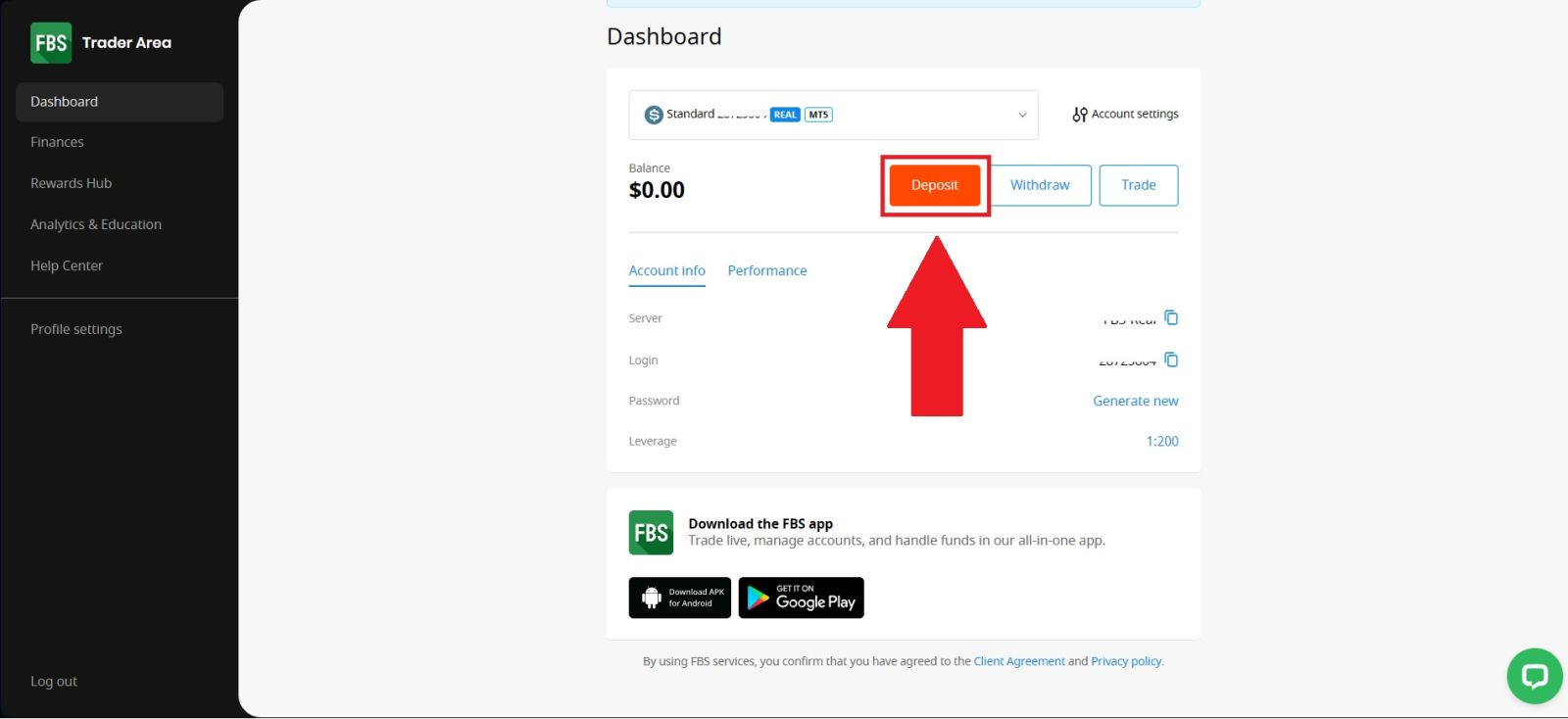
Once you have successfully logged in to your FBS account, navigate to the [Deposit] section located at the top right corner of the FBS homepage.This section allows you to manage your account funding options. By clicking on [Deposit], you will be directed to the deposit page where you can choose your preferred payment method, review available deposit options, and proceed with funding your trading account securely.
#3 Selectyour Cryptocurrency
Next, select the cryptocurrency you would like to use for your deposit to continue the process. Make sure to choose the option that best suits your needs and availability. In this example, USDT (TRC20) is selected, which is a popular choice due to its fast transaction speed and low network fees.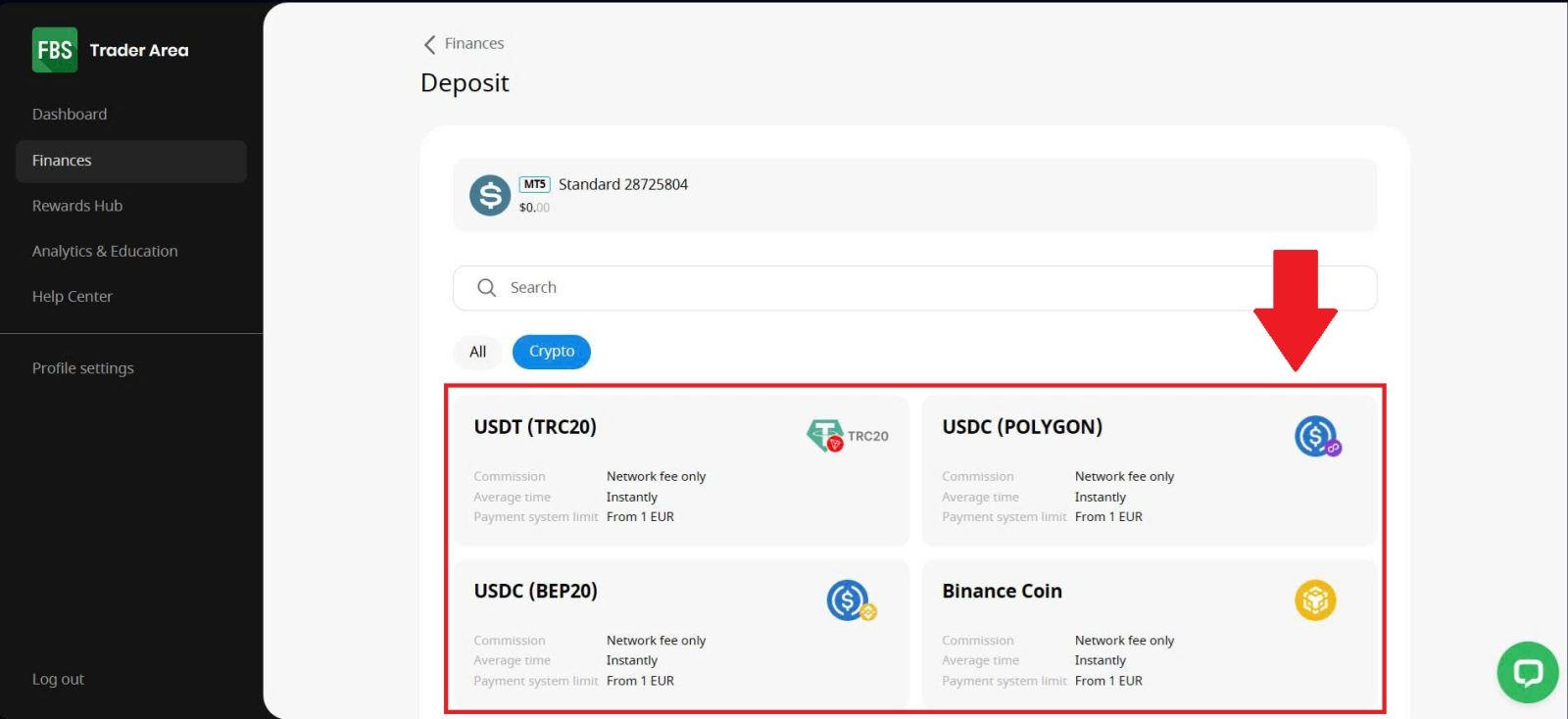
#4 Continue processing your payment.
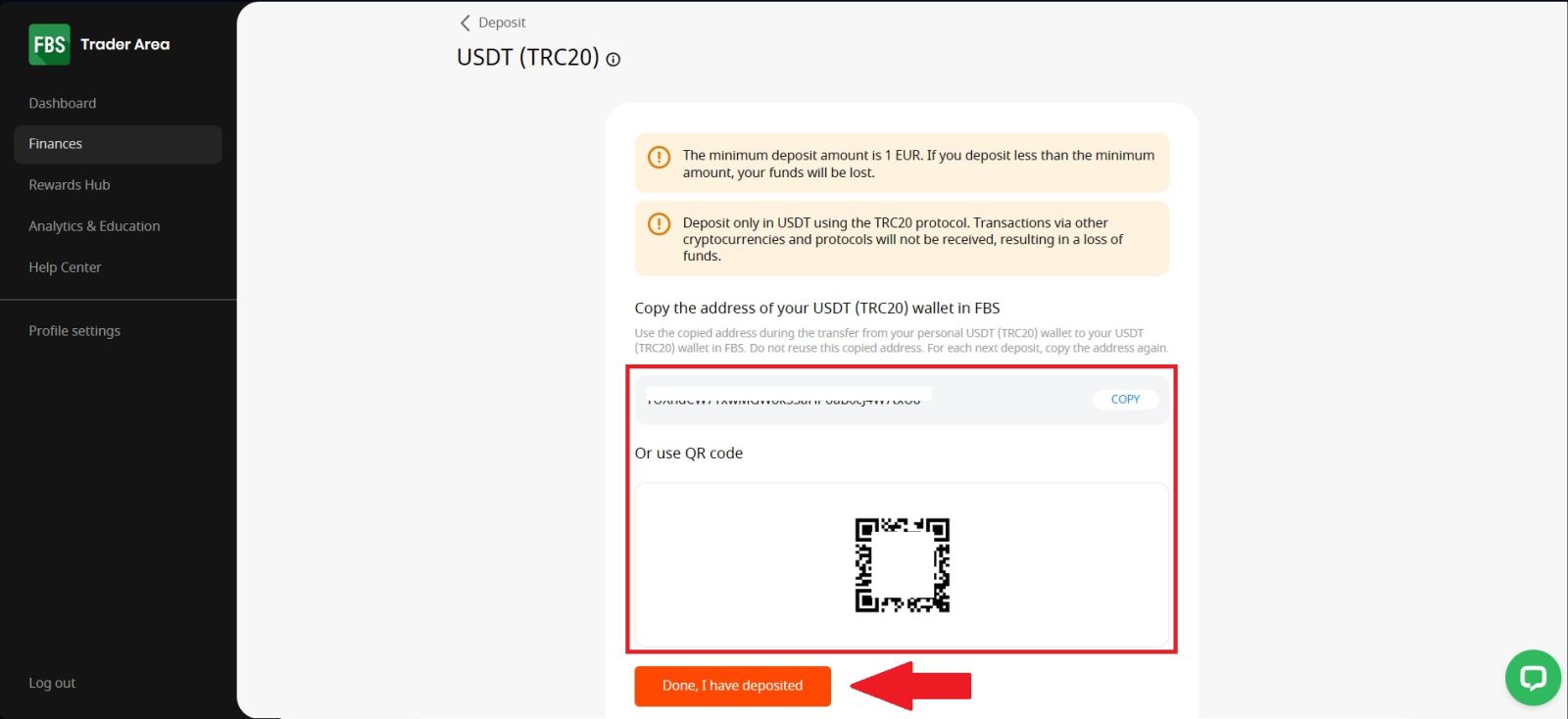
Continue processing your payment by copying the deposit details provided. Click the [Copy] icon to copy the wallet address or scan the QR code associated with the deposit address, then paste or use it on your external wallet or withdrawal platform.Once you have submitted the transfer, return to the FBS page and click [Done, I have deposited] to confirm the transaction. Using this information, you can complete your deposit by finalizing and confirming the withdrawal from your external wallet or third-party account.
Once you’ve completed the deposit, you can view your wallet to check your updated balance.
Conclusion: Fund Your FBS Account Smoothly and Securely
Depositing funds into your FBS account is a quick and convenient process that allows you to start trading without delay. With multiple supported payment methods and fast processing times, FBS makes it easy to choose an option that suits your needs.
By following the correct deposit steps and checking transaction details carefully, you can ensure a smooth and secure funding experience. Once your funds are available, you’re ready to take advantage of trading opportunities and manage your investments confidently on the FBS platform.
Câu hỏi thường gặp
FBS hỗ trợ chuyển khoản ngân hàng, thẻ tín dụng, ví điện tử và phương thức thanh toán địa phương tùy thuộc vào quốc gia của bạn.
Hầu hết các phương thức gửi tiền của FBS đều miễn phí, nhưng nhà cung cấp thanh toán bên thứ ba có thể tính phí.
Khoản tiền gửi tối thiểu trên FBS có thể thấp tới $1, tùy thuộc vào loại tài khoản và phương thức thanh toán.
Hầu hết các khoản tiền gửi được xử lý ngay lập tức, trong khi một số phương pháp có thể mất vài giờ.
Bạn nên kiểm tra xác nhận thanh toán của mình và liên hệ với bộ phận hỗ trợ của FBS nếu tình trạng chậm trễ vẫn tiếp diễn.