How to Login and Deposit Money on FBS
FBS is a leading international forex and CFD broker, offering a secure and user-friendly platform for traders across various markets. To begin trading, the first essential steps are logging into your account and making a deposit.
This guide provides a professional walkthrough on how to securely access your FBS account and fund it using a variety of supported payment methods.
This guide provides a professional walkthrough on how to securely access your FBS account and fund it using a variety of supported payment methods.

How to Log In to FBS
How do you Log In to the FBS account?
- Go to the mobile FBS App or Website.
- Click on “Login”.
- Enter your email and password.
- Click on the “Log In” orange button.
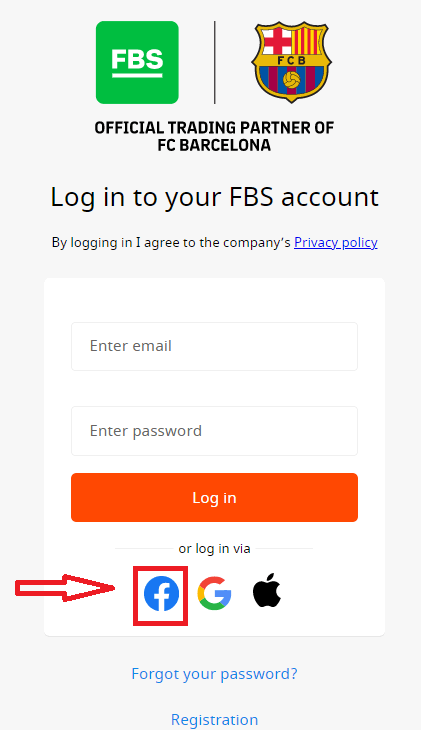
- Click on “Facebook,” “Gmail,” or "Apple" for login through social network.
- If you forgot your password, click on “Forgot your password”.
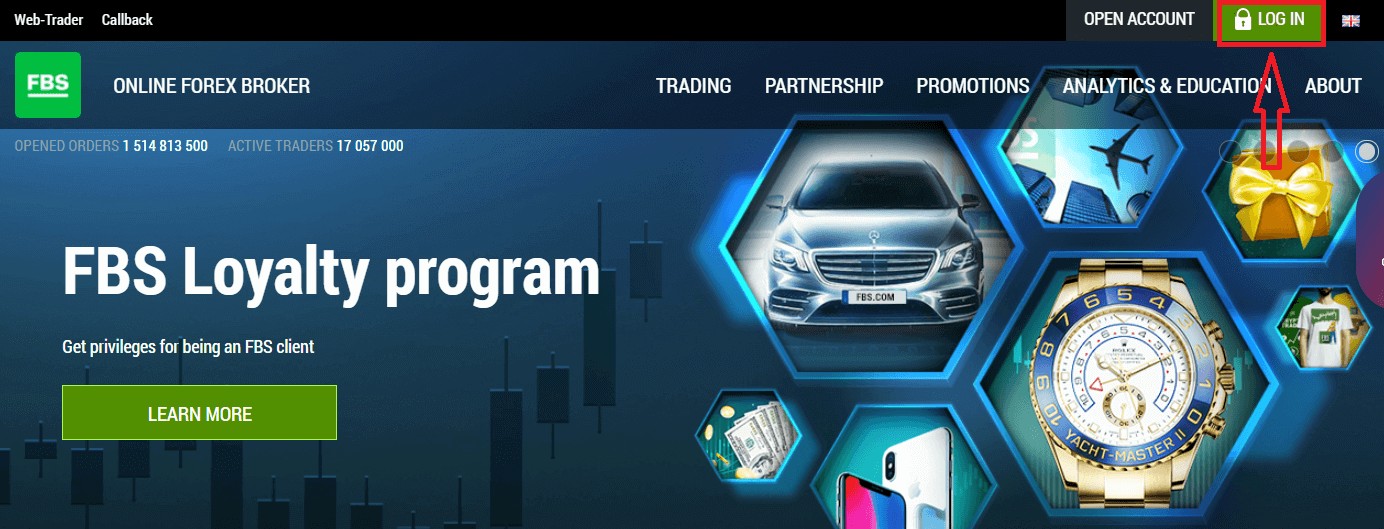
To log in to FBS, you need to go to the trading platform application or website. To enter your personal account (log in), you must click on the «LOG IN». On the main page of the site and enter the login (e-mail) and password that you specified during registration.
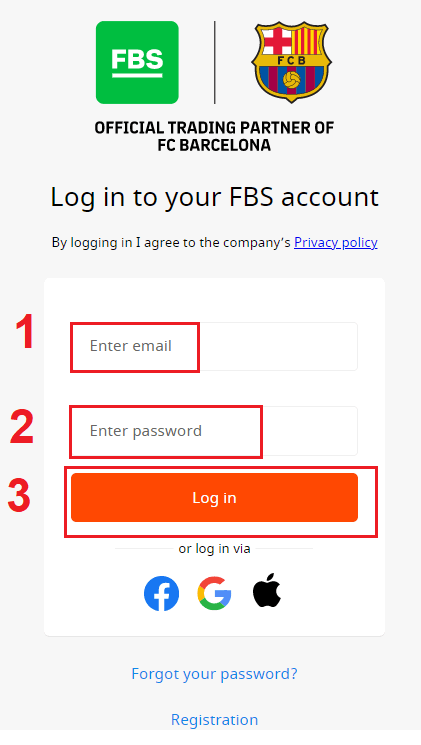
How do you Log In to FBS using Facebook?
You can also log in to the website using your personal Facebook account by clicking on the Facebook logo. The Facebook social account can be used on web and mobile apps.1. Click on the Facebook button
2. The Facebook login window will be opened, where you will need to enter your email address that you used to register in Facebook
3. Enter the password from your Facebook account
4. Click on “Log In.”
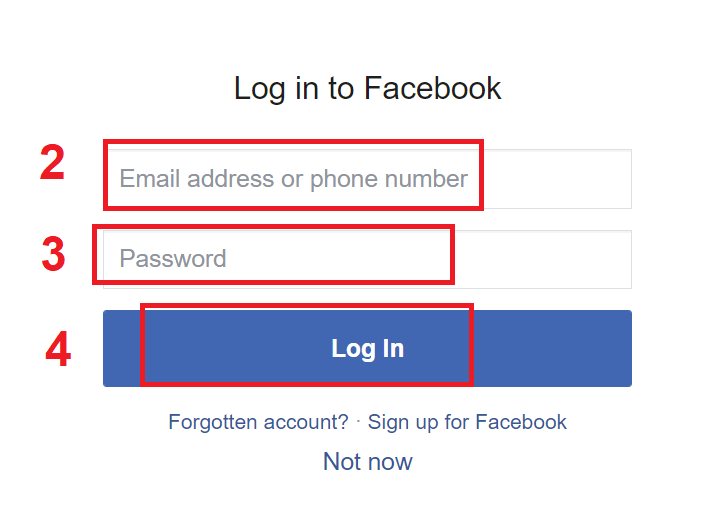
Once you’ve clicked on the “Log in” button, FBS is requesting access to: Your name and profile picture, and email address. Click Continue...
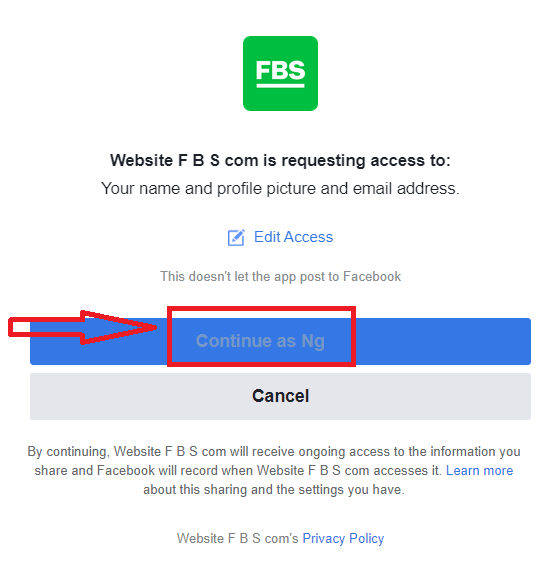
After that, you will be automatically redirected to the FBS platform.
How do you Log In to FBS using Gmail?
1. For authorization through your Gmail account, you need to click on the Google logo.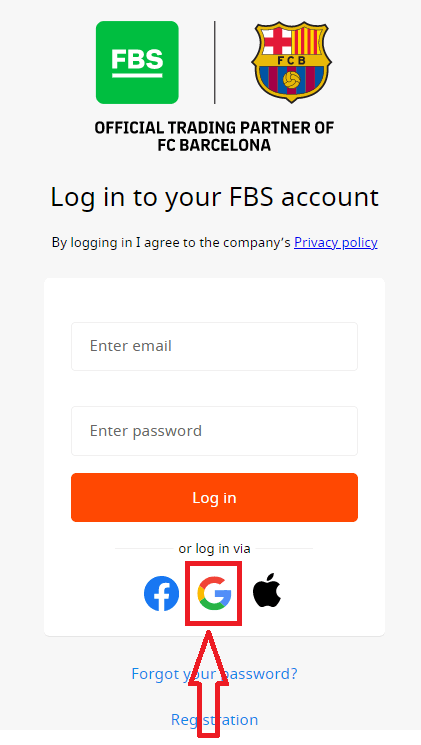
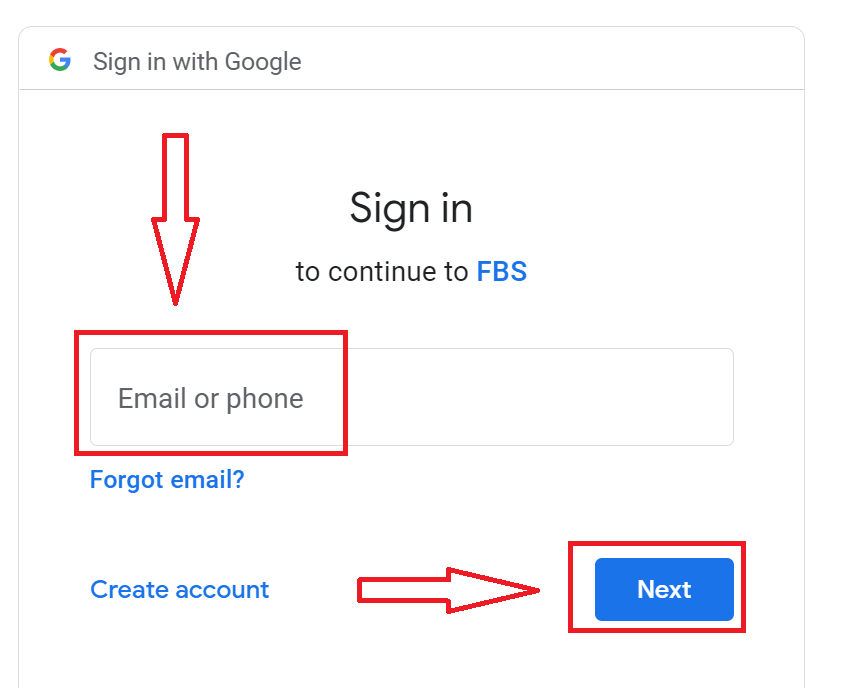
2. In the new window that opens, enter your phone number or email and click “Next”.
3. Then enter the password for your Google account and click “Next”.
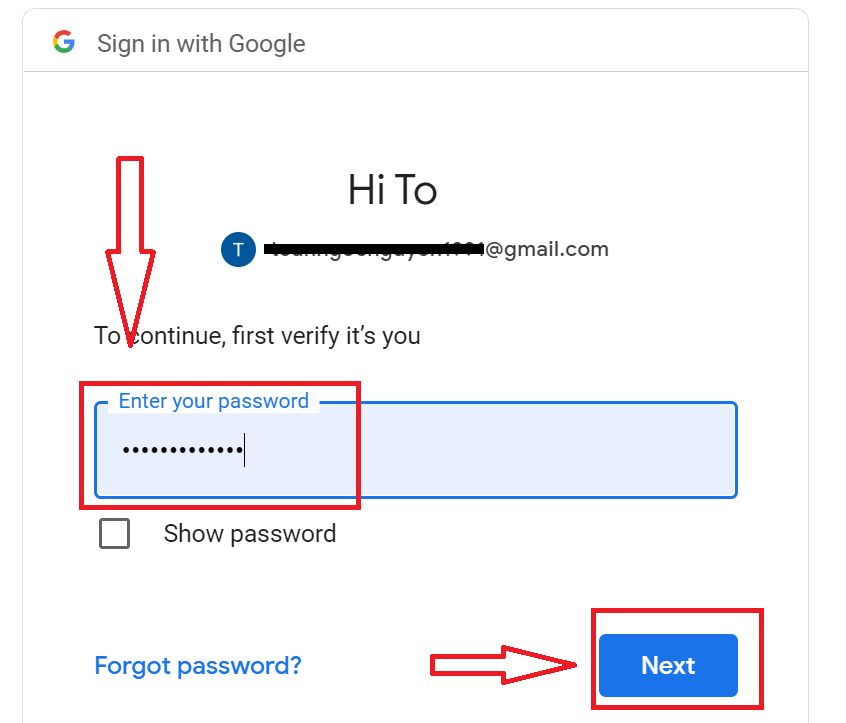
After that, follow the instructions sent from the service to your email address. You will be taken to your personal FBS account.
How do you Log In to FBS using an Apple ID?
1. For authorization through your Apple ID account, you need to click on the Apple logo.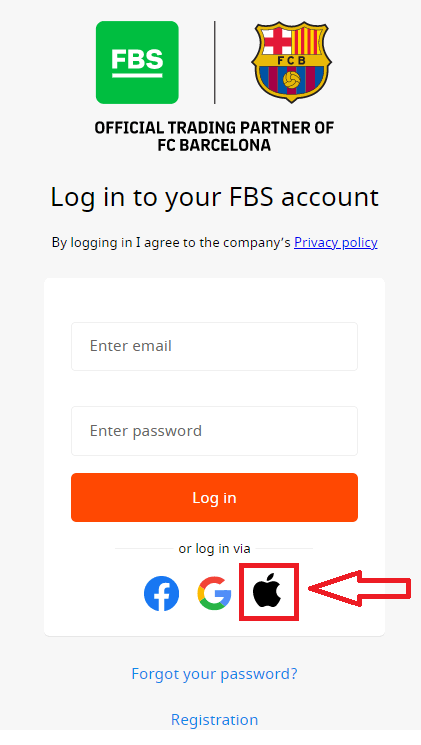
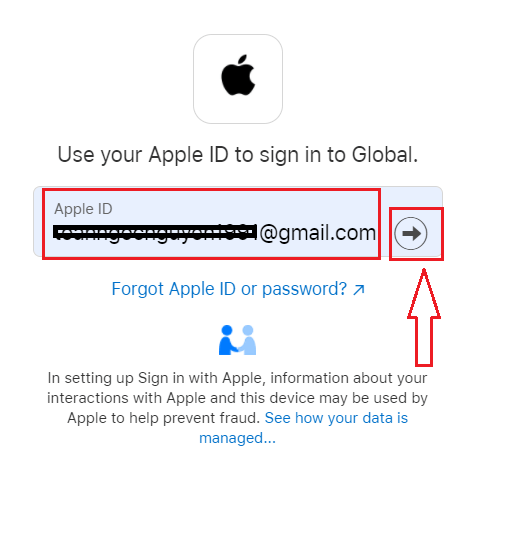
2. In the new window that opens, enter your Apple ID and click “Next”.
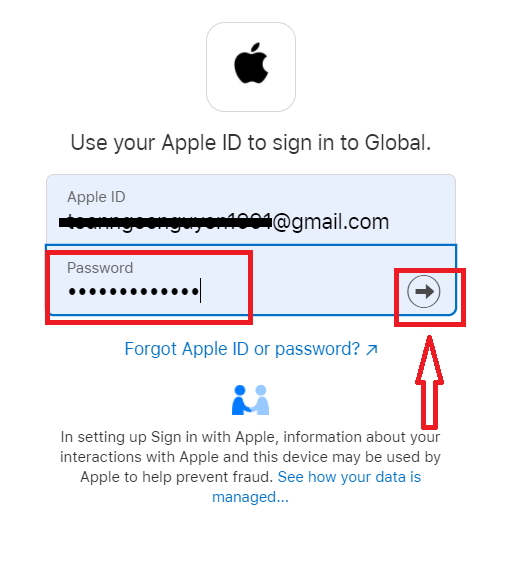
3. Then enter the password for your Apple ID and click “Next”.
After that, follow the instructions sent from the service to your Apple ID. You will be taken to your personal FBS account.
I forgot my Personal Area password from FBS
To restore your Personal Area password, please kindly follow the link.There, please, enter the e-mail address your Personal Area is registered with and click the "Confirm" button:
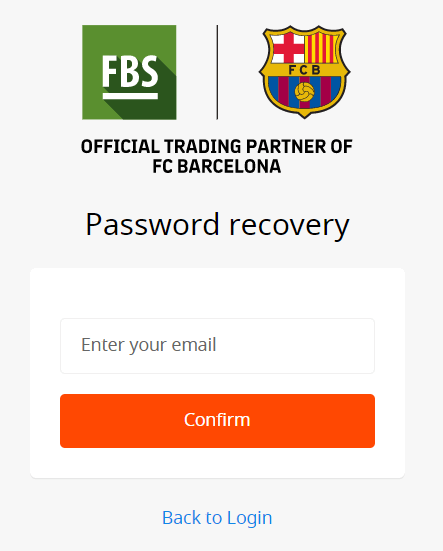
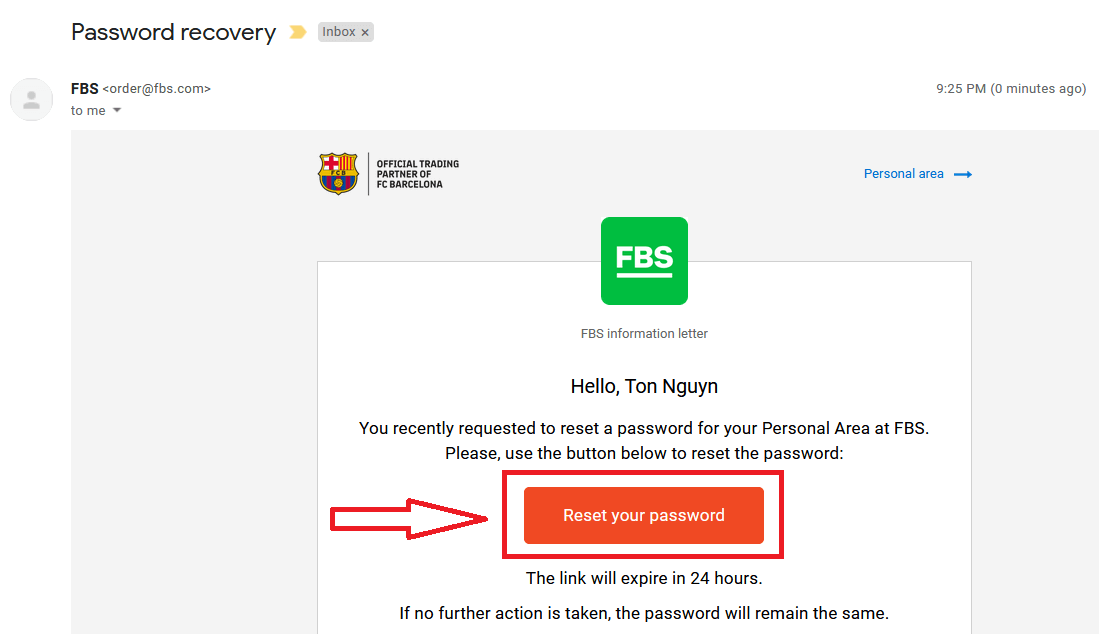
After that, you will receive the email with a password recovery link. Please, kindly click on that link.
You will be forwarded to the page where you can enter your new Personal Area password and then confirm it.
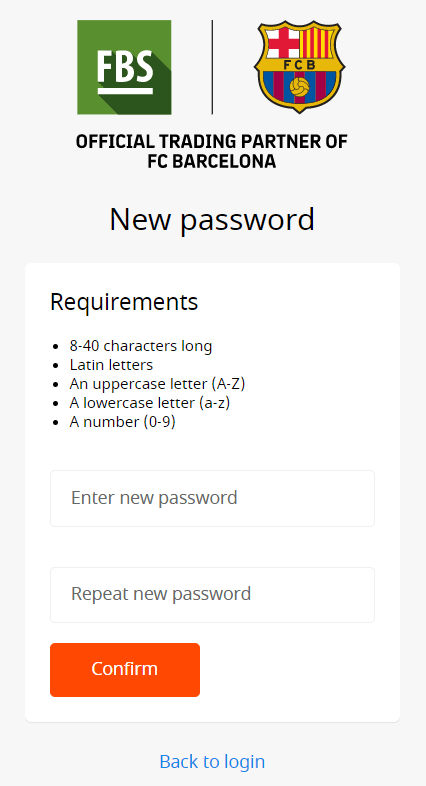
Click the "Confirm" button. Your Personal Area password has been changed! Now you can log in to your Personal Area.
How do you Log In to the FBS Android app?
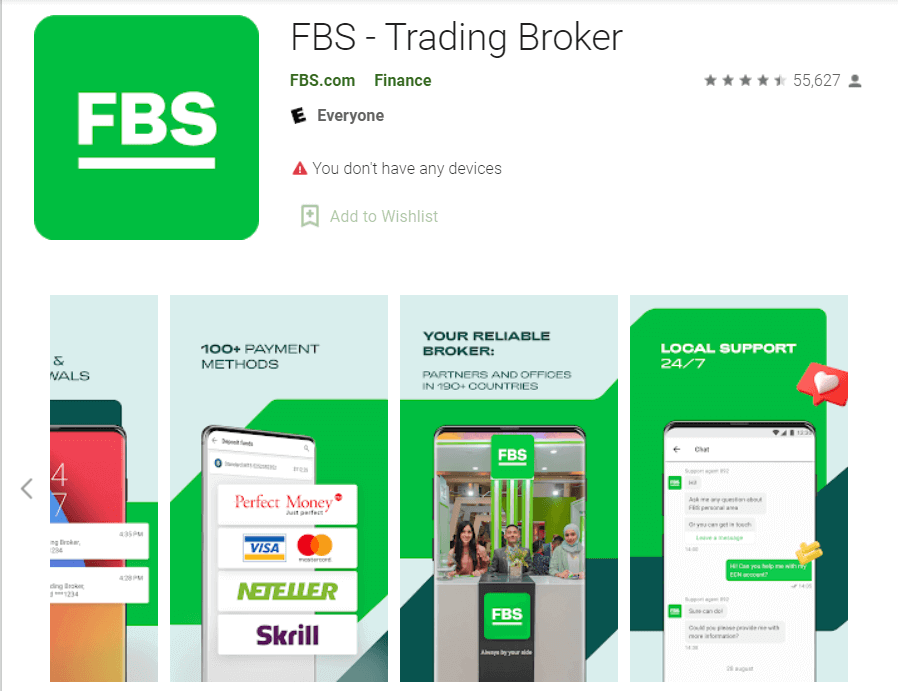
Authorization on the Android mobile platform is carried out similarly to authorization on the FBS website. The application can be downloaded through the Google Play Store on your device, or click here. In the search window, just enter FBS and click «Install».After installation and launching, you may log in to the FBS Android mobile app by using your email, Facebook, Gmail,l or Apple ID.
How do you Log In to the FBS iOS app?
You have to visit the App Store (iTunes) and in the search use the key FBS to find this app, or click here. Also, you need to install the FBS app from the App Store. After installation and launching, you may log in to the FBS iOS mobile app by using your email, Facebook, Gmail, or Apple ID.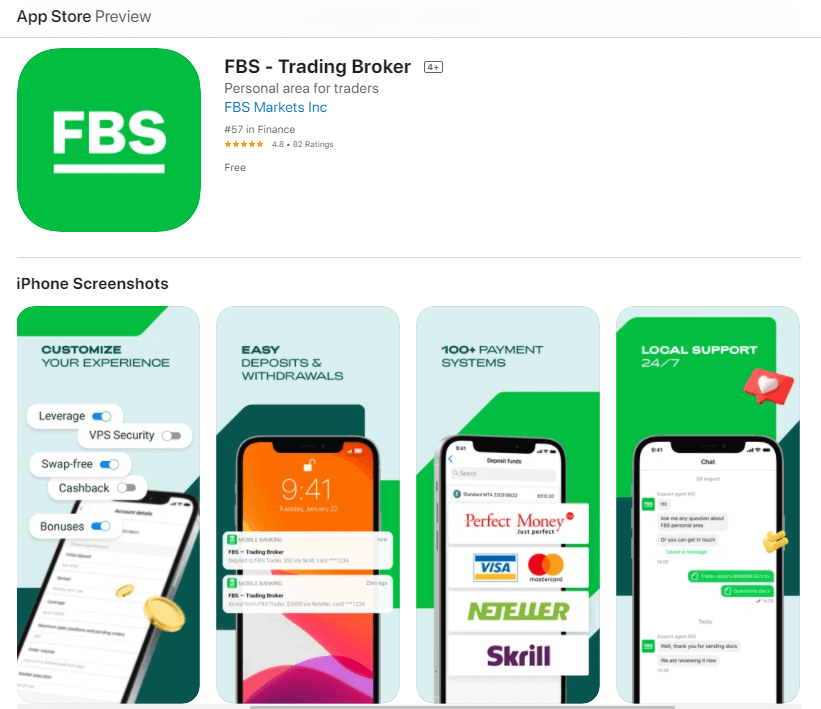
How to Deposit Money on FBS
How can I Deposit
You can deposit money into your account in your Personal Area.1. Click on "Finances" in the menu at the top of the page.

or
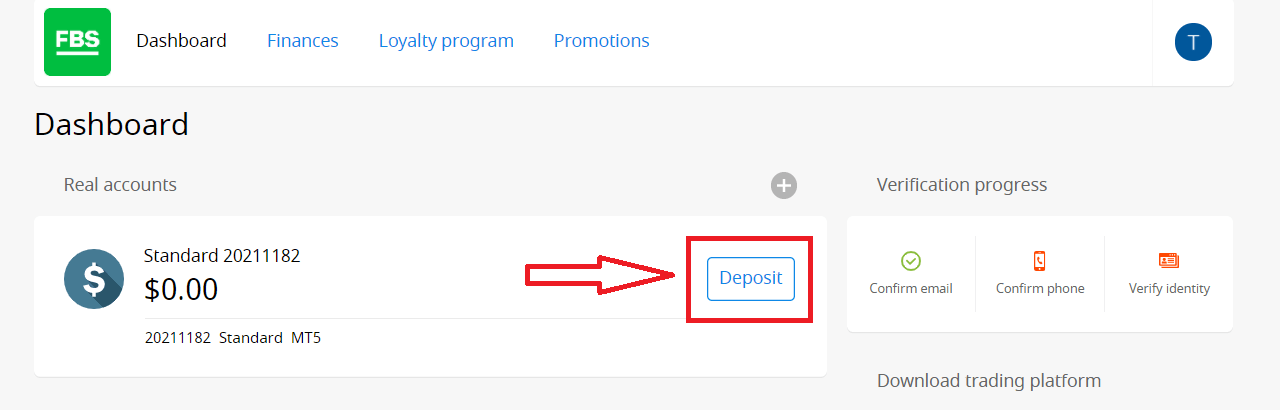
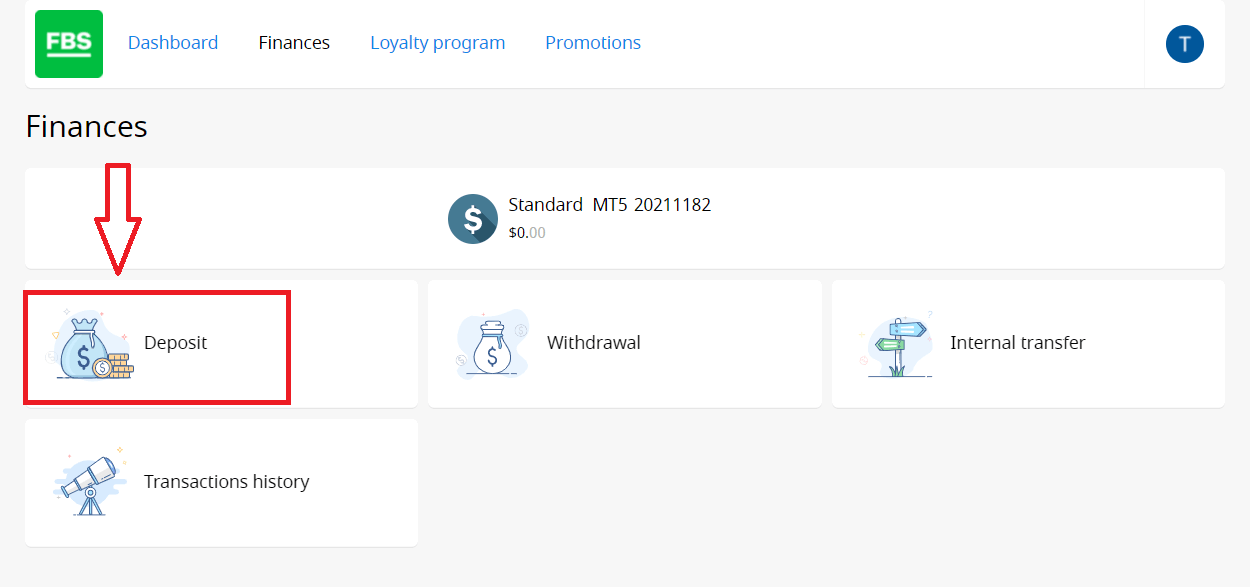
2. Choose "Deposit".
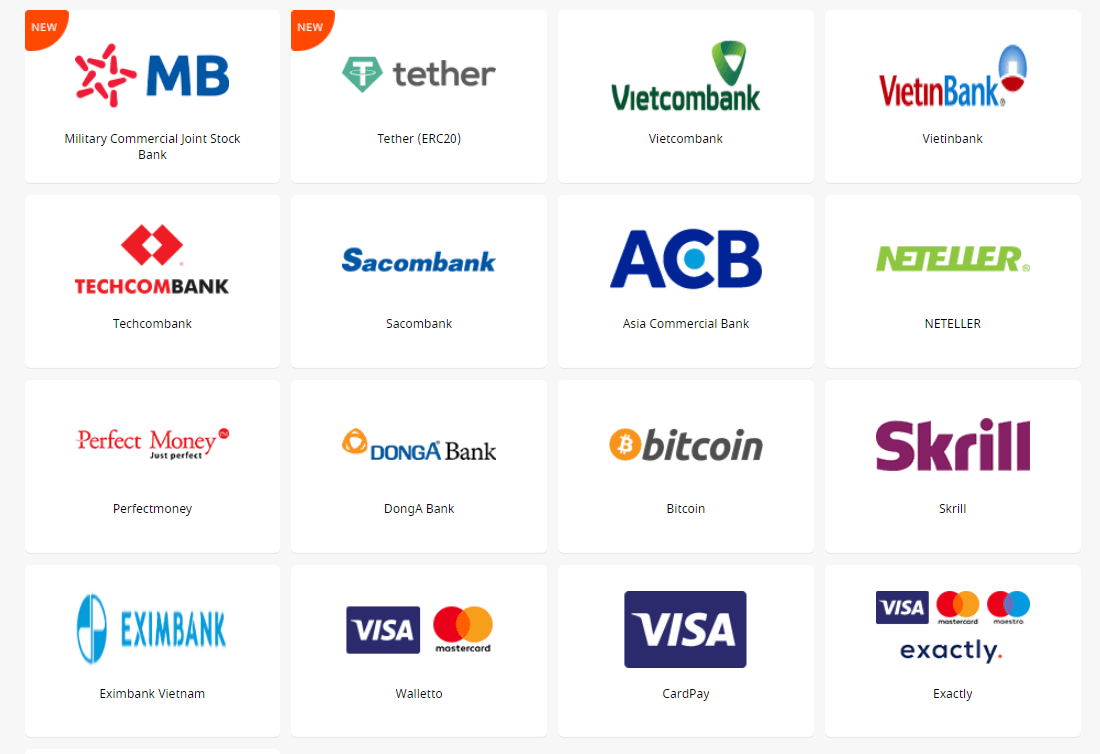
3. Choose a suitable payment system and click on it.
4. Specify the trading account you want to deposit to.
5. Specify the information about your e-wallet or payment system account if needed.
6. Type the amount of money you want to deposit.
7. Choose the currency.
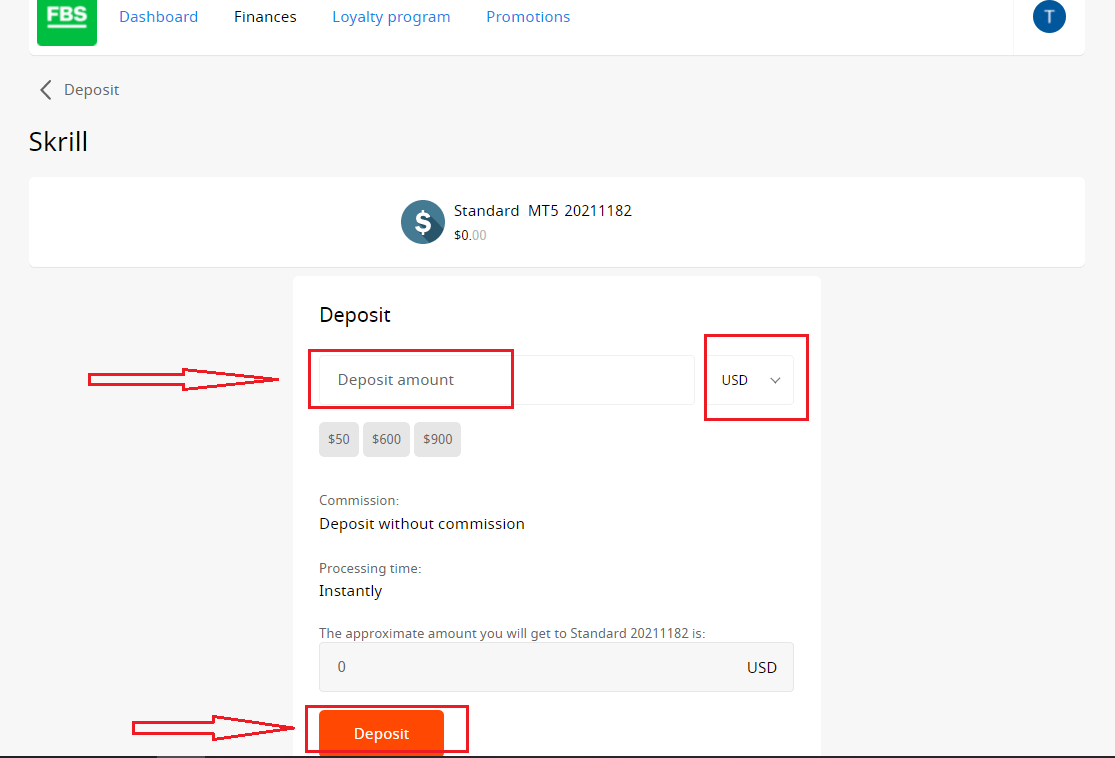
8. Click on the “Deposit” button.
Withdrawals and internal transfers are done in the same fashion.
You will be able to monitor the status of your financial requests in the Transaction History.
Important information! Please, take into consideration that according to the Customer Agreement, a client can withdraw funds from his/her account only to those payment systems that have been used for the deposit.
Please, kindly be informed that in order to deposit to FBS applications such as FBS Trader or FBS CopyTrade, you need to make a deposit request right in the needed application. Transfer of funds between your MetaTrader accounts and FBS CopyTrade / FBS Trader accounts is not possible.
FAQ of Deposit
How long does it take to process a Deposit/Withdrawal request?
Deposits via electronic payment systems are processed instantly. Deposit requests via other payment systems are processed within 1-2 hours by the FBS Financial department.FBS Financial department works 24/7. The maximum time of processing a deposit/withdrawal request via an electronic payment system is 48 hours from the moment of its creation. Bank wire transfers take up to 5-7 business days to process.
Can I make a Deposit in my national currency?
Yes, you can. In this case, the deposit amount will be converted into USD/EUR according to the current official exchange rate on the day of the deposit execution.
How can I Deposit funds into my account?
- Open the Deposit within the Finances section in your Personal area.
- Choose the preferred deposit method, select offline or online payment, and click the Deposit button.
- Select the account you wish to deposit funds into and enter the deposit amount.
- Confirm your deposit details on the next page.
What payment methods can I use to add funds to my account?
FBS offers different funding methods, including numerous electronic payment systems, credit and debit cards, bank wire transfers, and exchangers. There are no deposit fees or commissions charged by FBS for any deposits into the trading accounts.
What is the minimum Deposit amount in the FBS Personal Area (web)?
Please, take into consideration the following deposit recommendations for different account types, respectively:
- For the "Cent" account, the minimum deposit is 1 USD.
- For "Micro" account - 5 USD;
- For "Standard" account - 100 USD;
- For "Zero Spread" account – 500 USD;
- For "ECN" account - 1000 USD.
Please, kindly be informed that these are recommendations. The minimum deposit amount, in general, is $1. Please consider that the minimum deposit for some electronic payment systems like Neteller, Skrill, or Perfect Money is $10. Also, as for the bitcoin payment method, the minimum recommended deposit is $5. We would like to remind you that the deposits for smaller amounts are processed manually and may take longer.
To know how much it is needed to open an order in your account, you can use the Traders Calculator on our website.
How do I Deposit funds into my MetaTrader account?
MetaTrader and FBS accounts synchronize, so you do not need any additional steps to transfer funds from FBS directly to MetaTrader. Just log into MetaTrader, following the next steps:
- Download MetaTrader 4 or MetaTrader 5.
- Enter your MetaTrader login and password that you have received during registration at FBS. If you didn’t save your data, get a new login and password in your Personal area.
- Install and open MetaTrader and fill in the pop-up window with login details.
- Done! You are logged into MetaTrader with your FBS account, and you can start trading using the funds you have deposited.
How can I make a Deposit and withdraw funds?
You can fund your account in your Personal area, via the “Financial operations” section, choosing any of the available payment systems. Withdrawal from a trading account can be executed in your Personal area via the same payment system that was used for depositing. In case the account was funded via various methods, withdrawal is executed via the same methods in the ratio according to the deposited sums.
Conclusion: A Smooth and Secure Entry into FBS Trading
Logging into and funding your FBS account is the foundation of a successful trading experience. By following these simple yet secure steps, you can quickly access your account and deposit funds with confidence.Always ensure you’re using verified payment methods and keep your login credentials secure. With these measures in place, you’re well-prepared to take full advantage of the powerful trading tools FBS has to offer.