
FBS Login
Getting into your FBS account and funding it are separate but linked tasks: failed logins, pending verification, or choosing an unsupported payment method are the most common blockers. Before attempting a deposit, confirm your login credentials, enable any required security checks, and be aware that processing times and available methods can vary by country and account type.
This article walks you through practical login checks, the funding options FBS commonly supports, how minimums and currency choices affect processing, and clear troubleshooting steps if a payment is declined. It also highlights verification and security steps you'll want completed to avoid holds on withdrawals and to keep your account safe while moving money into trading.

How to Trade Forex in FBS Trader App — Orders, Execution & Risk
Trading from a mobile device demands a clear, repeatable workflow: spot the right market setup, choose the appropriate order type, size the position to match risk limits, and confirm execution while monitoring price action. Mobile apps can compress these steps into a few taps, but that increases the chance of entry errors and poor risk control unless you understand chart tools, order placement parameters, and execution conditions.
This guide focuses on practical trading actions inside the FBS Trader app — reading live charts, applying indicators, placing market and pending orders, using stop loss/take profit, and managing open positions. Short walkthroughs explain how execution works, common reasons for rejected or delayed orders, and simple risk controls to use before you trade with real funds, plus pointers for practicing on a demo account first.

Register and Trade Forex on FBS MT4/MT5: Account to First Trade
Getting from signup to a live MT4 or MT5 trade can feel technical: you need a correctly registered account, identity verification, an available deposit method, and a properly configured terminal. New traders often stall when platform credentials, server selection, or leverage settings prevent order execution, and mistakes at this stage can delay access to markets or create avoidable trading risks.
Use the step-by-step walkthrough to register an FBS trading account, complete verification, fund your account using supported payment methods, and connect to MT4 or MT5 so you can place your first forex order. Practical checks cover account type selection, leverage and margin setup, installing and logging into the correct server, placing market and pending orders, and basic risk controls such as stop-loss and position sizing, plus common verification and deposit fixes to avoid delays.

Register and Trade Forex on FBS Trader App
Getting from account creation to placing your first FX order on a mobile device requires more than just downloading an app. Registering on the FBS Trader App involves choosing the right account type, creating secure login credentials, and completing identity verification; once verified, you’ll need to fund the account and understand how market and pending orders, leverage, and chart tools work on the mobile interface to execute trades reliably.
This article walks through practical, step-by-step actions: how to register, verification tips that prevent delays, funding routes and minimum-deposit notes, switching between demo and live modes, and the quickest workflow to place and manage trades while applying basic risk controls and account security measures so you can start trading with clarity and caution.

Open Account on FBS: Account Types, Verification and Funding
Getting from registration to a trade-ready account often stalls on the same few steps: choosing the right account type, uploading acceptable ID and proof of address, and meeting funding rules so verification and withdrawals aren’t delayed. If your objective is to start live trading efficiently, plan the onboarding sequence before you sign in—account choice and accurate KYC are the two biggest time-savers.
Compare FBS account options (Cent, Standard, Pro), pick your platform (MetaTrader 4/5 or FBS Trader), confirm email and phone, then upload clear identity and residency documents. Fund with an accepted payment method while observing minimum deposit and currency requirements, enable two-factor authentication, and test access with a demo or a small live deposit so your account is verified and operational when you begin trading.

FBS withdraw
Moving money into or out of a trading account often raises questions about payment options, processing times, and verification checks — especially when you’re preparing to trade or cash out profits. Practical issues like matching payment destinations, currency conversion, and temporary holds from banks or payment providers are common, and knowing the right steps reduces delays and rejected transactions.
Below are clear, platform-focused tips and expectations for funding an FBS account and requesting payouts: which methods are typically available, what verification or limits may apply, how long transfers usually take, and what to do if a transaction fails. The guidance is aimed at helping both new and experienced traders complete deposits and withdrawals while keeping account security and compliance requirements in mind.

FBS Register
Getting an FBS trading account set up and approved often trips up new users at the verification stage — common stumbling blocks include mismatched personal details, unclear document photos, and choosing the wrong account type. A smooth onboarding means knowing which identity and address documents are accepted, how email and phone confirmations work, and what restrictions apply before your account is fully verified.
Below you’ll find a clear, step-by-step registration workflow plus a focused verification checklist, expected review times, and practical tips to avoid rejection. The guidance covers preparing valid documents, uploading files correctly, how to check verification status, and basic troubleshooting so you can move from initial sign-up to funded trading access with fewer delays and better security.
FBS Open Account
Opening an FBS account and getting ready to trade means more than entering your email and a password. You’ll choose between demo and live accounts, pick an account type and base currency, and complete profile fields that affect funding, leverage, and platform compatibility. Small issues—mismatched names, unsupported ID files, or incorrect contact details—are common causes of delays, so prepare accurate documents and decide which trading platform you’ll use before you register.
Signing in securely to FBS involves verifying contact details, setting strong credentials, and optionally enabling two-factor protection or trusted-device settings. Sign-in behavior can differ across the website, the FBS Trader app and MetaTrader terminals, so understanding password recovery, session handling, and basic troubleshooting will help you access your account quickly and avoid preventable holds or lockouts.
FBS Open Account and Withdraw: Requirements, Limits & Timing
Want to open a trading account and later withdraw funds from FBS but unsure which documents, payment methods or timelines apply? Many users complete registration quickly but then hit delays at payout because verification, deposit‑withdrawal rules, or selected payment channels weren’t set up correctly. Understanding the common prerequisites — identity and address checks, matching payment details, and any platform-specific limits — avoids preventable payout holds and extra verification steps.
This article lays out the practical workflow from opening your account to receiving money: choosing the right account type, completing Verification, funding the account, and submitting a Withdrawal request. You’ll get a concise checklist of required documents, an overview of supported payout channels and typical processing windows, plus troubleshooting tips for pending withdrawals and how to speed approvals while keeping your account secure.
FBS Sign Up
Before you can fund or trade, you need a registered account and a reliable way to sign in without delays or security hiccups. Common sign‑up problems include using an incorrect email or phone number, picking the wrong account type, or uploading documents that fail basic checks. Sorting those items up front—accurate contact details, a verified email or SMS, and a clear ID scan—reduces verification hold‑ups and prevents login blocks when you’re ready to deposit.
This walkthrough outlines the practical steps to complete FBS sign up and perform your first secure login on web and mobile. You’ll see how to set credentials, confirm contact details, prepare verification files, enable basic security settings, and recover access if needed. The aim is to get your account active and accessible while avoiding common setup mistakes and security pitfalls.

FBS Sign Up: Step-by-Step Account Setup & Requirements
Completing an online sign-up often stalls because of unclear account choices, missing contact confirmation, or avoidable document errors. This page walks you through the practical steps you’ll encounter when creating an FBS account — choosing the right account type, entering personal and contact details, and confirming your email or phone — so you can finish onboarding cleanly and avoid common rejections.
You’ll also find concrete tips for preparing identity documents, creating a secure password, enabling recommended security settings, and what to expect during the KYC review. Follow these steps to shorten verification wait times and have your new account ready for funding and trading activity without unnecessary delays.

Trade Forex on FBS MT4/MT5: Platform Tools, Orders & Risk
Entering your first forex position on MT4 or MT5 requires more than clicking Buy — it demands knowing which charts, order types, and risk controls to use. This walkthrough focuses on the trading workflow inside FBS's MT4/MT5 apps: reading multi-timeframe charts, applying popular indicators, placing market and pending orders, and sizing positions so margin and leverage match your risk plan. Emphasis is on practical steps you can follow immediately on desktop or mobile terminals.
You'll also learn how to configure one-click trading, add stop loss and take profit levels, test strategies on a demo account, and monitor execution and trade history. Pay attention to spreads, slippage during high volatility, and account-specific leverage limits; these shape real execution and margin requirements. Use built-in indicators and chart templates conservatively, enable strategy testing before running Expert Advisors, and prioritize stop management to protect capital.
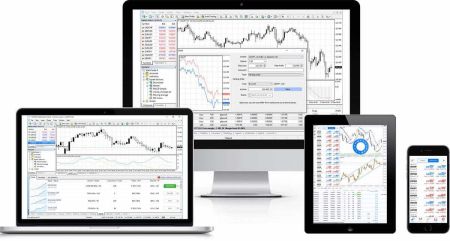
FBS Download App
Accessing trading apps quickly across multiple devices is often derailed by incompatible builds, incorrect server choices, or misplaced credentials. This article focuses on practical preparations—device and OS compatibility, required permissions, which client (MT4, MT5 or FBS Trader) fits your needs, and the account details you should have ready—so download, install and login proceed smoothly.
You’ll get platform-specific install and first-login steps for Web, Windows, macOS, Android and iOS, plus tips for connecting demo versus live accounts, locating server and account numbers in the Members Area, and troubleshooting common connection or authentication problems. Read the platform notes and quick fixes to avoid delays, and follow the security suggestions so your initial sign-in is safe and ready for trading or strategy testing.

FBS Register Account: Steps, Requirements and First Access
Picking the right account type and finishing verification are the two biggest hurdles new traders face when they try to register. Mistakes like mismatched ID data, choosing the wrong account currency, or skipping email and phone confirmation are common causes of delay; addressing those up front speeds activation and avoids hold-ups when you want to deposit and trade.
Below you'll find a practical, step‑by‑step registration workflow that covers choosing an account, entering personal and contact details, submitting KYC documents, and the small setup tasks that unlock trading access. The guidance highlights typical document requirements, verification checks, and quick troubleshooting tips so you can complete registration confidently and move on to demo or live trading with your profile and security settings already configured.

FBS Affiliate Program
Want to earn commissions by referring traders to FBS? Joining the affiliate program starts with a short application and choosing the partner model that fits your traffic and promotional channels. Once approved you’ll get a unique referral link, access to a partner dashboard, and promotional assets to track clicks, leads and commission accrual. This overview focuses on the practical onboarding actions that speed approval and ensure accurate tracking from day one.
Prepare to verify identity and payment details, understand minimum payout rules, and follow promotional compliance requirements so payouts aren’t delayed. The article also flags common onboarding issues—incorrect tracking parameters, missing documents, or regional payout restrictions—and explains how to resolve them, choose payout methods, and set up reporting so you can begin referring qualified traders responsibly and transparently.

FBS FAQ
Want to trade but unsure how orders, execution, and risk controls work on FBS' platforms? This FAQ collection focuses on the practical steps traders ask about most: order placement across MT4/MT5 and FBS Trader, how spreads and slippage affect fills, instrument availability, and basic trade-size and margin considerations. The goal is to help you trade with fewer surprises by covering platform mechanics and common execution scenarios.
Alongside step-by-step pointers you’ll find troubleshooting tips for delayed fills, guidance on using demo accounts to build confidence, and clear security practices to protect your access. Read these answers to handle everyday trading tasks, spot when platform behavior is normal versus problematic, and know which verification or account settings might limit your trading activity.
FBS Account Registration and Login: Step-by-Step Process
To start trading or demo testing you must register an FBS trading account and be able to log in reliably. Registration typically requires a valid email or phone number, a secure password, and selection of an account type; choosing the right account currency and execution model up front avoids conversion fees and unnecessary changes later.
Login access is equally important: use the same credentials on web and mobile, enable available security options, and complete identity verification early to remove funding and withdrawal limits. If you run into sign-in errors, simple fixes like confirming your email, clearing browser cache, or resetting your password usually restore access quickly.

FBS Account
New traders often face two early challenges: turning chart signals into correctly sized orders, and protecting capital when markets move fast. On FBS you’ll use platform tools, order types, and risk controls to enter and manage positions; mastering the trading workflow — from choosing an instrument and timeframe to placing stop-loss and take-profit levels — reduces execution mistakes that cost money more than strategy complexity does.
This article focuses on practical steps a beginner needs to trade on FBS: selecting the right platform (MT4, MT5, or FBS Trader), choosing order types, placing and modifying trades, reading basic charts and indicators, and applying simple risk rules. It also highlights demo practice, common execution issues, and verification or account limits that can affect live trading, so you can move from simulated trades to real positions with clearer expectations and safer habits.

FBS Sign In: Secure Access, Password Recovery & Troubleshooting
Locked out of your account or facing authentication errors when trying to sign in to FBS? Common interruptions include forgotten passwords, unverified contact details, expired sessions, browser cookie or VPN conflicts, and temporary lockouts after multiple failed attempts. Start by confirming you’re using the registered email or phone number and check for on-screen prompts such as SMS or email verification codes before trying other fixes.
If a simple reset doesn’t work, follow the account recovery workflow: use the password reset from the login screen, complete any required identity checks, and enable two-factor authentication for added protection. On mobile, keep the app updated and avoid public Wi‑Fi. If you can’t access your recovery email or the account remains locked, contact FBS support with ID documents to reopen access and verify there are no pending verification or funding restrictions on your account.
FBS Open Account and Deposit: Steps, Methods and Limits
Getting your trading account active and funded often fails at predictable points: incomplete KYC, wrong payment details, or choosing a payment channel with long processing times. Anticipating verification requirements, deciding on account type and base currency, and preparing clear ID and address documents will speed onboarding and reduce deposit rejections so you can start trading sooner.
FBS supports multiple live account types and funding options, including cards, e-wallets, bank transfers and cryptocurrency, but minimums, processing times and fees vary by method and region. The sections below explain the step‑by‑step open account workflow, typical verification documents, deposit methods and expected timings, common restrictions to watch for, and practical tips to avoid conversion fees, holds or failed transactions.
Register on FBS and Withdraw Money: Account Steps & Payouts
Getting your FBS account registered and learning how to withdraw funds are separate steps that often trip up new traders — common hurdles include KYC verification, matching withdrawal destinations to deposit sources, and choosing the correct payment method for your country. Knowing the exact documents, minimum thresholds, and platform rules before you start prevents delays and unexpected rejections when you request a payout.
This guide walks you through the registration workflow and the withdrawal pathway: how to create and verify your account, fund it, request a payout, and troubleshoot common issues. You’ll get clear expectations on processing times, supported payout options, limits and fees, and practical security tips to keep your funds safe during transfers so you can complete both onboarding and cashout with confidence.

FBS Login and Verification: Access Steps, Document Requirements
Trying to access your FBS trading account but running into login errors or verification holds can derail trading plans and block deposits or withdrawals. Quick, secure access depends on correct credentials, reliable two-factor authentication, and submitting acceptable identity and address documents; common hold-ups include expired IDs, mismatched name details, low-resolution photos, and unsupported file formats that fail automated checks. Missing a verification step can also restrict trading tiers or prevent cashouts, so resolving access and KYC issues quickly matters.
This walkthrough provides practical, step-by-step actions to regain access and complete FBS verification efficiently: signing in and recovering passwords, enabling or troubleshooting 2FA, preparing and uploading passport, national ID, or driver's license plus utility bill or bank statement proofs in accepted file types, expected review timelines, and when a manual review or support request is required. Follow the checklist and quick fixes here—naming files correctly, checking email for verification links, and re-submitting clear scans—to reduce processing time and avoid repeated rejections.

FBS Sign in and Withdraw: Secure Login and Cashout Steps
Need to access your FBS account and withdraw funds without unnecessary delays or failed requests? Many setbacks come from simple issues: incorrect login credentials, an unverified account, or mismatched payment destinations. Start with a short sign-in checklist to confirm your credentials, device access, and any active security measures before you open a withdrawal request.
This article explains the exact sign-in flow and the withdrawal workflow you’ll follow after logging in: selecting payout methods, verifying beneficiary details, submitting a withdrawal, and tracking its status. You’ll also get practical tips on required verification documents, typical processing times by method, common hold reasons, and safety steps—such as enabling two-factor authentication and using verified payment sources—to reduce rejections and speed up cashouts. If you’re new to withdrawals, the troubleshooting section highlights the quickest fixes and what to prepare before contacting support.

FBS: How to Trade Forex and Withdraw Your Funds
Starting to trade FX and planning ahead for withdrawals reduces surprises when you need to access cash. Before opening positions, focus on account type, platform choice, and a consistent funding method: pick the account that fits your size and leverage needs, connect to MT4/MT5 or FBS Trader, practice on a demo, and use clear order rules (entry, stop loss, take profit) so trades execute as intended under live conditions.
When it’s time to withdraw, readiness is procedural: ensure your identity and address documents are uploaded and approved, confirm the payout destination matches requirements, and submit a withdrawal from your dashboard. Expect standard compliance checks, method-dependent processing times, and occasional payment-provider delays; track the request and keep transaction IDs handy to resolve holds quickly and protect your funds.
FBS Deposit and Trade Forex: Funding Methods and Trading Steps
To place live Forex orders on FBS you must first fund a trading account using a supported payment method and meet any verification and minimum-deposit requirements. Choose the right account currency and funding channel—local bank transfer, international wire, card, e-wallet or selected cryptocurrencies—so you understand processing times, conversion costs and limits before sending money, which helps avoid rejected transactions and unnecessary delays.
After funds clear, connect the funded account to your trading platform (FBS Trader, MetaTrader 4 or 5), confirm your balance, and practice order entry on a demo if needed. Learn basic order types, how spreads and slippage affect execution, set stop-loss and position-size rules, and follow simple security steps like strong passwords and two-factor authentication to protect your funded account and withdrawals.

FBS Login and Trading — Access Your Account and Trade Forex
Getting secure access to your trading workspace is the essential step before placing live Forex orders. Many traders lose trading opportunities because of two-factor prompts, forgotten passwords, session timeouts, or confusion between demo and live environments. This introduction focuses on practical actions to resolve common login blockers, confirm account readiness, and reduce access friction so your entry to the market is reliable and repeatable. You'll also learn how to interpret common error messages and when to contact support.
After covering secure login and password recovery, the article walks you through the quickest path to placing a Forex trade from web and mobile platforms: selecting the right account (demo versus live), choosing an instrument, picking an order type, and applying basic risk controls such as stop loss and position sizing. It also includes quick checks for account funding and demo mode so you can practice without risking capital, plus a short reminder about margin, leverage, and responsible risk management before trading live.

FBS Demo Account
Getting hands-on access to the markets starts with choosing the right account type and meeting basic onboarding requirements. Traders often lose time by picking the wrong base currency or skipping identity checks; focus first on which FBS account matches your balance, leverage needs, and preferred trading platform so you avoid funding and withdrawal restrictions later.
Once you know the account class, the practical steps are straightforward: register your profile, submit ID and address documents for verification, select a base currency and trading platform (MT4/MT5 or FBS Trader), fund the account using a supported payment method, and confirm activation before placing live orders. Pay attention to verification status and payment limits—these determine whether withdrawals and certain instruments are available immediately or after compliance review.

FBS Login: Secure Steps to Access Your Trading Account
Logging into a trading account should be fast but also protected against lost passwords, unauthorized access, and device errors. Many traders get stuck on forgotten credentials, two-factor prompts, or verification checks that block platform access right when markets move, creating frustrating delays during time-sensitive opportunities. Using unreliable public Wi-Fi, outdated apps, or weak passwords increases the chance of login failures and security flags, so understanding the platform's authentication flow and immediate remedies is essential.
This article walks you through the exact FBS login workflow for desktop, mobile app, and web terminal, covering credential recovery, two-step authentication, and session management. It also lists preparatory items—registered email or phone, password reset options, backup codes, and document checks you may need for security holds—and gives troubleshooting tips for connection, captcha, cache errors, and verification delays so you can regain access without unnecessary waiting. You'll also find quick fixes for common error codes, guidance on when to contact support, and best-practice steps to keep your account accessible and secure.

FBS Contact
Facing a verification delay, a failed deposit, or trouble logging into your trading account? When money or access is at stake, knowing the right support channel and what information to provide saves time and prevents mistakes. This page shows practical ways to reach the FBS support team, compares response expectations for live chat, phone, and email, and explains which channel suits account issues, payment queries, trading platform problems, and security reports.
Read on for step-by-step contact options, sample messages to speed resolution, and a checklist of documents or screenshots to attach when asking about deposits, withdrawals, verification, or order execution. You’ll also find guidance on expected reply times, how to escalate unresolved cases, language availability, and basic safety rules—never share passwords or one-time codes and always confirm you’re contacting the official FBS help channels listed within your account. This reduces delays and protects your funds.

Verify FBS
Getting your FBS trading account fully verified removes funding and withdrawal restrictions and is required before you trade with larger volumes or request payouts. Many traders delay verification because they’re unsure which documents meet compliance standards, how long the review takes, or how to submit proof of identity and address correctly. Knowing the exact file types, photo requirements, and common rejection reasons prevents delays and keeps your funds accessible.
This guide breaks down the FBS verification workflow step by step: acceptable ID and residency documents, recommended image specs, how to upload files via the Web or mobile app, typical review timelines, and what to do if a document is rejected. It also explains temporary limits placed on unverified accounts, tips to speed approval, and security practices to protect personal data during submission. Read on to complete verification confidently and avoid common pitfalls that slow account activation.
FBS Deposit
Funding your trading account is the essential step before you can place live trades, but regional payment rules, bank limits and identity checks often complicate the process. Depending on your location you may see bank cards, local transfers, e-wallets, mobile payments and crypto options — each with different minimums, processing speeds, currency handling and third-party fees. Some methods use 3D Secure or instant confirmation while others can take several business days to clear or may be restricted by your payment provider.
This article lays out practical deposit steps for the main payment channels supported on FBS, highlights typical minimums and limits, explains expected processing times, and shows how to troubleshoot common failures. Follow the method-specific notes and security tips here to reduce delays, avoid unexpected conversion charges, and make sure deposited funds reach your trading balance promptly.
FBS Sign Up and Deposit — Steps to Create and Fund Your Account
Getting from account creation to a funded trading balance often stalls on verification, payment choice, and timing. New users commonly run into unexpected minimums, currency mismatches, or payment-provider holds when they try to sign up and deposit, which delays platform access and raises support queries. Prioritizing the right account type, matching your payment name to your profile, and preparing basic ID documents will reduce those delays.
The path is simple: create credentials, confirm contact details, select a trading account, complete any KYC checks, then choose a deposit method that fits your currency and speed needs. Card and e‑wallet transfers are usually fastest, bank wires take longer, and some methods require additional proof of payment. This article outlines the stepwise workflow, common payment options, processing expectations, and practical security checks to help you finish sign up and deposit quickly and with fewer interruptions.

FBS Withdrawal: How to Withdraw Money, Methods & Processing Times
Need to move trading funds from your FBS account back to your bank or e-wallet? Withdrawals on FBS use several payout channels — bank transfer, e-wallets, and card refunds — but each path has rules, minimums, and verification checks that commonly cause delays. Knowing which payment destination is linked to your account and whether your trading and KYC records meet payout criteria will save time and avoid rejected requests. Available payout options and minimum withdrawal amounts vary by account type and currency, so check the funding page before you submit a request.
This page breaks down the step-by-step withdrawal process, expected processing times for different methods, fee and currency considerations, and the typical reasons withdrawals are held or returned. It also highlights verification steps and practical tips — such as matching withdrawal names with your ID and allowing time for intermediary banks — so you can plan payouts with fewer surprises.

FBS Personal Area (Mobile) FAQ — Account Access & Common Issues
Managing your trading account on mobile often raises practical questions — where to upload ID documents, how to switch between trading accounts, or why a deposit stalls. The Personal Area in the FBS mobile interface groups these tasks but its navigation, permissions, and verification flow can be unfamiliar when you need to act quickly or troubleshoot a problem.
This FAQ collection focuses on the most common mobile-specific actions and hiccups: uploading verification files, checking deposit and withdrawal status, recovering login access, managing security settings, and creating or switching trading accounts. Each answer gives clear, step-based instructions and notes on limits, processing delays, and safety checks so you can resolve issues faster or know when to contact support.

FBS Trader FAQ: Account Access, Trading, Deposits & Withdrawals
Getting stuck on an order, deposit, or login inside the FBS Trader app can interrupt your trading workflow. This FAQ collects the most common user questions about account access, placing and managing trades, funding and cashing out, verification checks, and basic troubleshooting so you can resolve issues quickly and return to the markets with confidence.
The answers focus on practical steps you can take inside the app — from how to set SL/TP and execute market or pending orders to what documents speed up verification and why a deposit may be delayed. Security and risk-awareness tips are included where relevant, plus brief troubleshooting workflows for app crashes, chart issues, and account recovery to help both beginners and intermediate users find fast, reliable fixes.

FBS CopyTrade FAQ: Copy Trading, Fees, Verification & Safety
Want to mirror experienced traders but unsure how copying strategies affect your account balance, fees, and risk exposure? Copy trading speeds market access but also introduces platform requirements, margin differences, and performance variability that many new users overlook. You should check which account type and instrument set your copied trader uses, confirm whether the mobile or web app is required for certain features, and test copying with a demo or a small amount first. Understanding how profit-sharing, spread markup, and automatic stop-loss settings apply to copied trades will help you avoid unexpected losses and funding issues.
This FAQ answers practical questions about setup, verification, minimum funding, fee structures, stopping or editing copy settings, and common syncing errors. Expect clear step-by-step instructions for initiating and pausing a copy, verification and withdrawal conditions for copied profits, and troubleshooting actions if trades fail to open or remain unsynced. You’ll also get safety reminders about diversification, checking trader drawdowns, reading performance history, and keeping your account verified and funded so copying works reliably.

FBS Deposit and Withdrawal: FAQs on Methods, Limits & Timing
Funding a trading account and cashing out both raise practical questions: which payment systems are accepted in your country, what the true minimums are per account type, how long transactions take, and why some requests are held for review. Traders often overlook currency conversion fees, bank-provider restrictions, and the effect of unverified accounts on payouts. This FAQ focuses on those realistic obstacles so you can prepare documentation, choose the best payment route, and avoid typical delays when you deposit or request a withdrawal.
Answers below cover supported payment channels, minimum deposit amounts by account type, step-by-step deposit and withdrawal workflows, processing windows, payout limits and common verification triggers. You’ll find notes about card refunds, e-wallet rules, bank transfer handling, and how to check payment status in your personal area. Follow the recommended steps and documentation tips to reduce holds and speed approvals, and keep in mind that payment provider rules ultimately govern timing and fees.

FBS Account Types Compared: Which Trading Account Should I Choose?
Choosing the right FBS trading account shapes your costs, leverage, allowed instruments and how quickly you can start live trading. Traders with small capital, scalpers, and algorithmic users face different trade-offs—spreads versus commissions, order size granularity, platform access and margin rules—so picking the wrong account can increase execution costs or block the strategies you plan to use.
This comparison breaks down FBS account types side‑by‑side and highlights the onboarding items that affect readiness to trade: verification checkpoints, funding options, and typical account limits. You’ll get practical cues for matching an account to your experience level and trading style, tips for testing on demo before funding, and when it makes sense to upgrade or open a second live account to expand market access.

How to Sign Up on FBS in 2026: Complete Account Registration, Requirements, Verification & Common Errors
Creating an account on FBS is a quick and straightforward process that gives you access to one of the world’s most popular online trading platforms.
Whether you’re a beginner or an experienced trader, the registration process is designed to be simple, secure, and user-friendly. In this guide, you’ll learn how to register an FBS account step by step, understand the basic requirements, and get started with trading in just a few minutes.

FBS Login Guide 2026: How to Access Your Account, Reset Password & Fix Login Issues
Logging in to your FBS account is a quick and simple process that gives you instant access to your trading dashboard and tools. Whether you’re using the FBS website, mobile app, or trading platform, understanding the correct login steps helps ensure smooth and secure access to your account. I
In this guide, you’ll learn how to log in to your FBS account step by step, avoid common login issues, and start trading with confidence in just a few moments.

How to Verify Your FBS Account in 2026: KYC Requirements, Documents, Approval Time & Rejected Cases
Verifying your FBS account is a crucial step to ensure secure trading and full access to all platform features, including deposits and withdrawals. The verification process is straightforward and designed to protect your personal information while complying with regulatory requirements.
In this step-by-step guide, you’ll learn how to verify your FBS account correctly, what documents are required, and how to complete the process quickly so you can trade with confidence and peace of mind.

How to Deposit Money on FBS in 2026: Available Deposit Methods, Fees, Minimum Amount & Processing Time
Depositing funds into your FBS account is a simple and secure process that allows you to start trading in just a few steps. FBS supports multiple payment methods, making it easy for traders to choose the option that best suits their needs.
In this guide, you’ll learn how to deposit funds into your FBS account, understand the available payment options, and ensure your money is credited smoothly so you can begin trading without delays.

How to Withdraw Money from FBS in 2026: Withdrawal Methods, Fees, Processing Time, Limits & Pending Issues
Withdrawing funds from your FBS account is a straightforward and secure process designed to give you easy access to your trading profits. Once your account is verified, you can choose from multiple withdrawal methods and complete your request in just a few steps.
In this guide, you’ll learn how to withdraw funds from your FBS account, understand the requirements and processing times, and avoid common issues to ensure your money reaches you smoothly and on time.

How to Trade on FBS in 2026: Beginner Step-by-Step Guide, Platforms, Order Types & Risk Management
Trading on FBS is designed to be accessible for both beginners and experienced traders, offering powerful tools, flexible account options, and user-friendly platforms. Whether you’re trading forex, indices, commodities, or cryptocurrencies, understanding the basic steps is key to trading confidently and effectively.
In this step-by-step guide, you’ll learn how to trade on FBS, from setting up your platform and placing your first order to managing risk and monitoring your trades for better results.