How to Sign Up on FBS in 2026: Complete Account Registration, Requirements, Verification & Common Errors
Writen By

Online Trading Platform Researcher and Guide Writer
Researches broker platforms and trading account Systems.
Creating an account on FBS is a quick and straightforward process that gives you access to one of the world’s most popular online trading platforms.
Whether you’re a beginner or an experienced trader, the registration process is designed to be simple, secure, and user-friendly. In this guide, you’ll learn how to register an FBS account step by step, understand the basic requirements, and get started with trading in just a few minutes.
Whether you’re a beginner or an experienced trader, the registration process is designed to be simple, secure, and user-friendly. In this guide, you’ll learn how to register an FBS account step by step, understand the basic requirements, and get started with trading in just a few minutes.

FBS Registration Process Overview
FBS is a global forex broker regulated by the International Financial Services Commission (FSC) of Belize, serving millions of traders worldwide. If you want to explore more about this broker, check out our FBS review. Here’s a quick overview of the FBS sign-up process:
- Enter the FBS broker website
- Complete the registration form
- Verify your email address
Let’s have an overview of the account opening process in this broker.
| Registration Requirements | Yes/No |
| Email Sign-up | Yes |
| Phone Number Required | Yes |
| Google Account Login | Yes |
| Apple ID Login | No |
| Facebook Login | Yes |
| Full Name | No |
| Country of Residence | Yes |
| Date of Birth | No |
| Address Details | No |
| Email Verification | Yes |
| Phone Number Verification | Yes |
| Financial Status Questionnaire | No |
| Trading Experience Questionnaire | No |
#1 Enter the FBS Forex website
Once on the website’s homepage, click on [OPEN ACCOUNT] which will direct you to the registration form.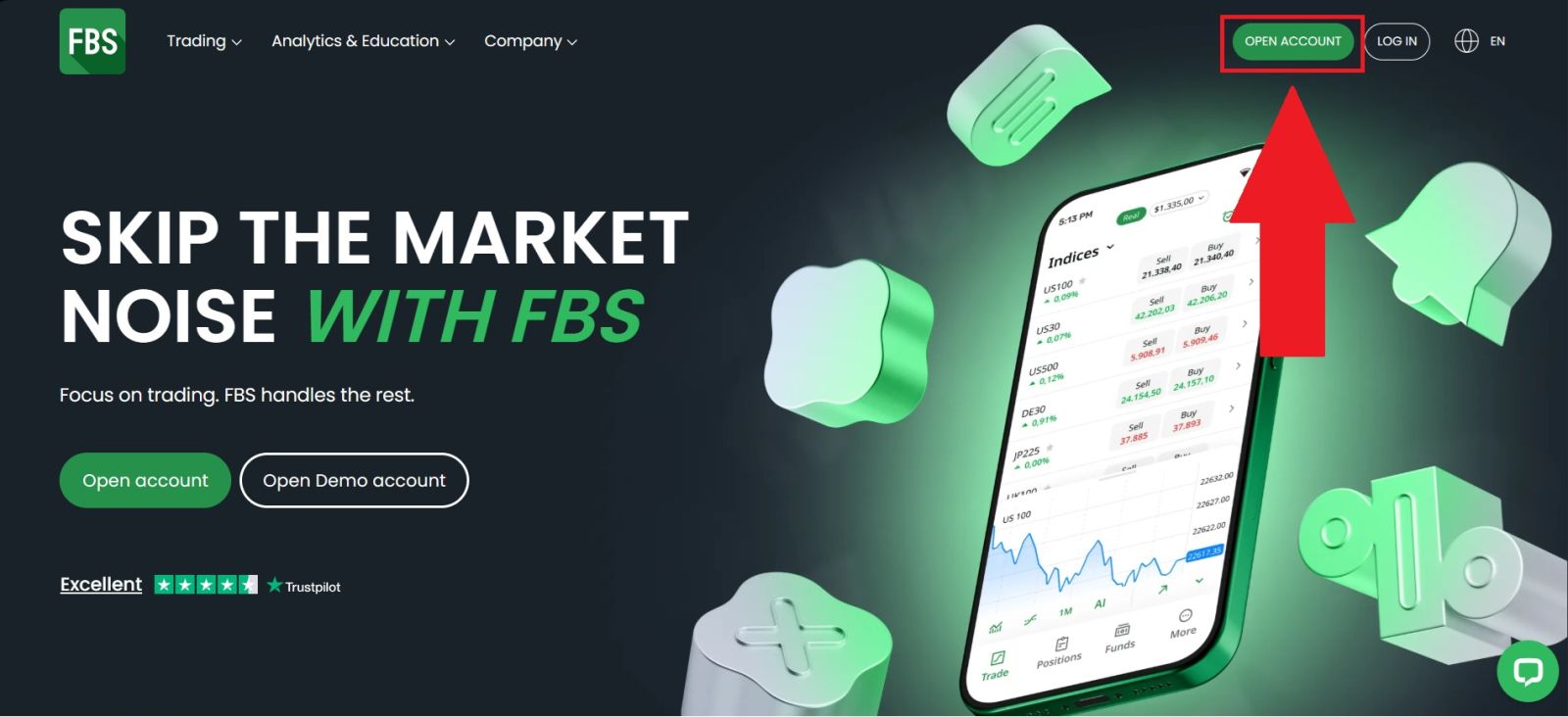
#2 Complete the Registration Form
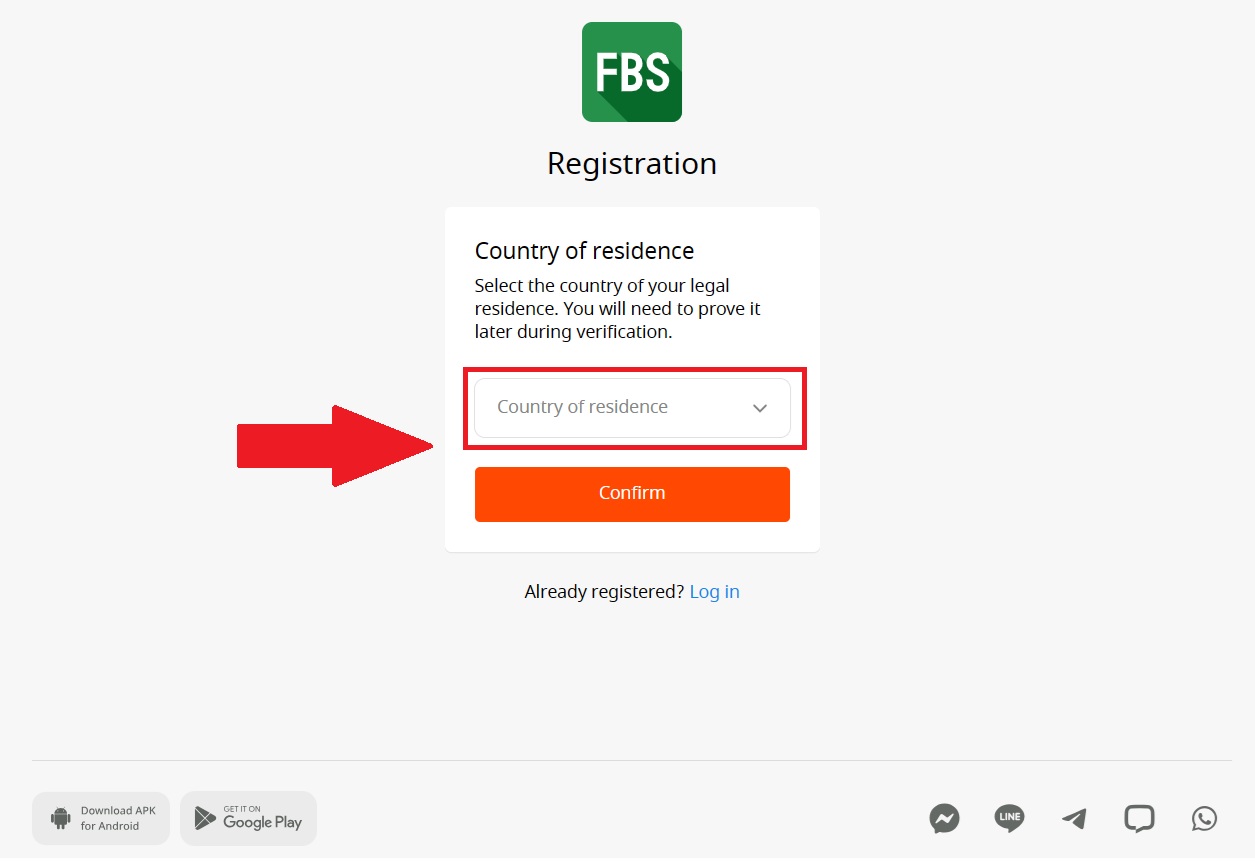
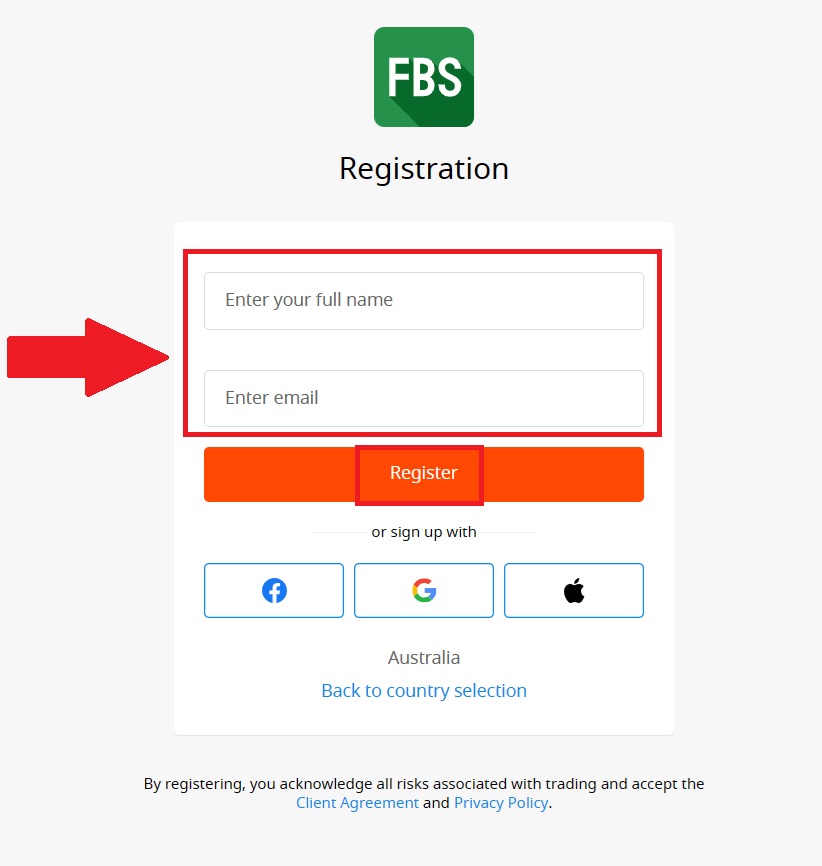
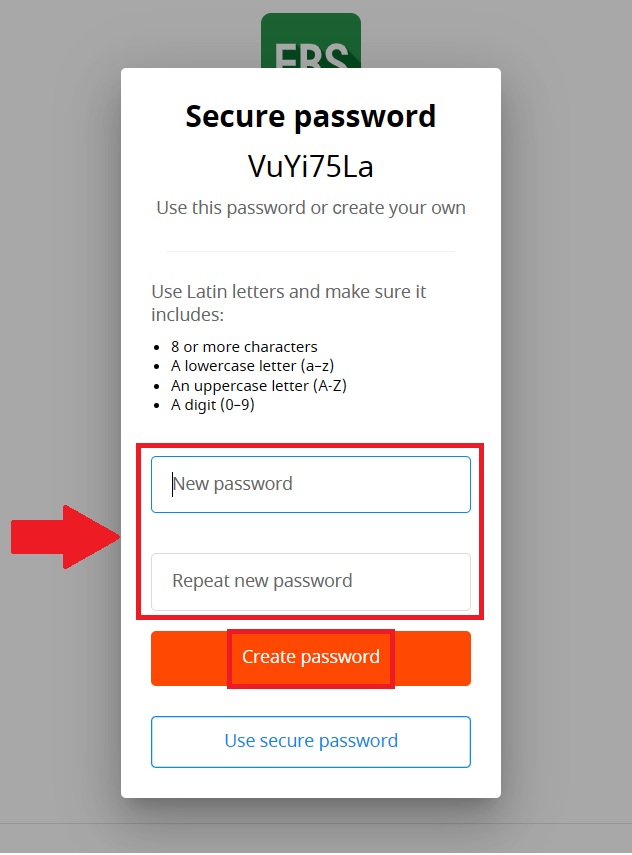
Select your country of residence and click [Confirm] to proceed, then complete the registration form by entering your full name, a valid email address for your account, and creating a strong password that includes letters, numbers, and special characters.Once all required information is filled in, click [Create Password] to complete the registration process.
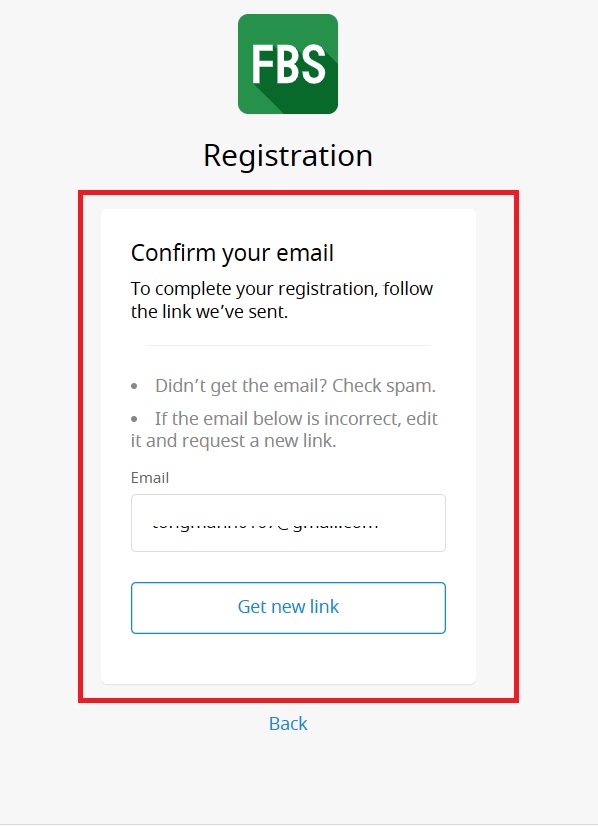
#3 Verify Your Email Address
After opening your account, it’s crucial to verify the email you used for registration. Verify your account on the link that has been sent to your email.
Check your inbox and other folders if you haven’t received the verification email. To resend the confirmation, click on the "Get new link" option.
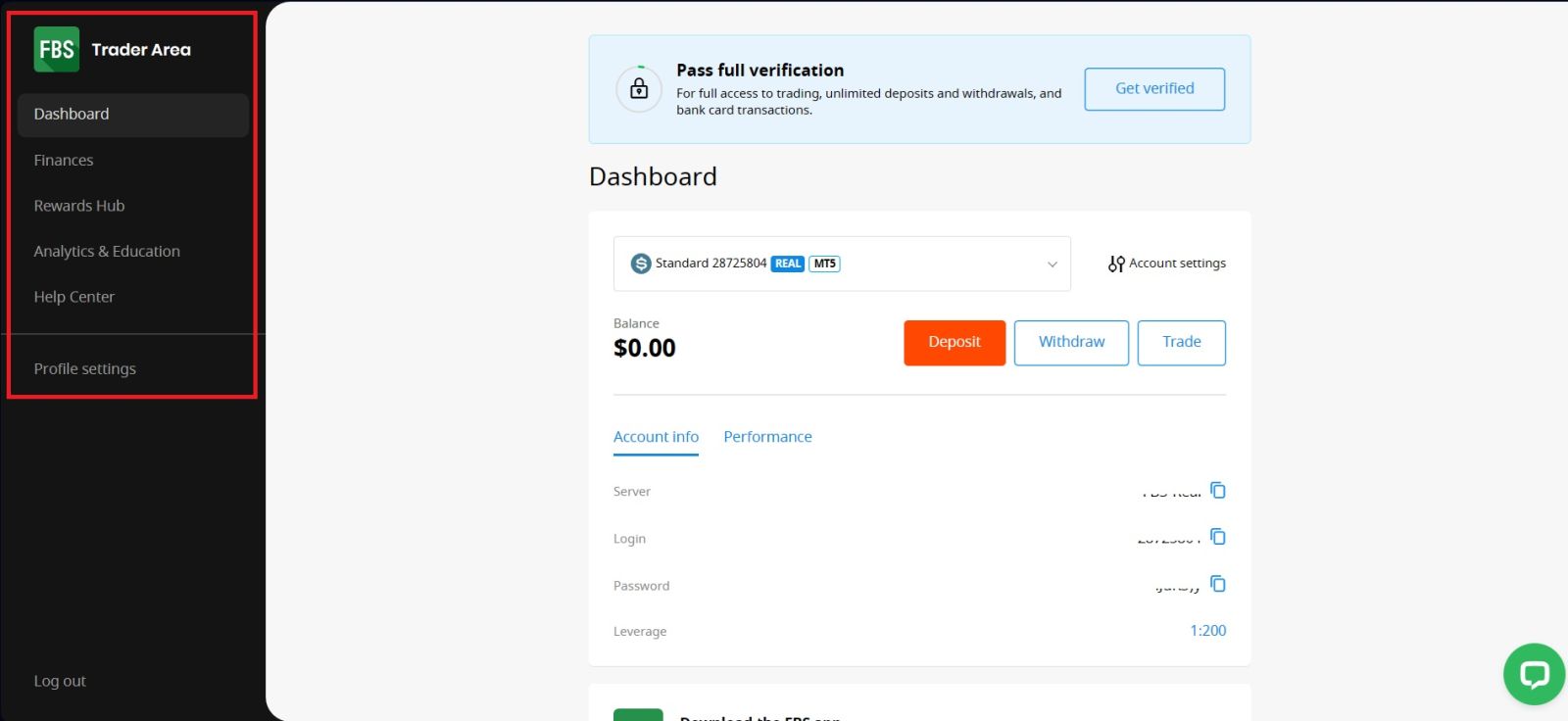
After that, you have successfully registered an account on FBS.
Conclusion: Get Started on FBS Quickly and Securely
Registering an account on FBS is a simple and straightforward process designed for both beginners and experienced traders. With just a few steps—signing up, verifying your details, and securing your account—you can gain full access to FBS’s trading platforms and features.By completing the registration correctly and verifying your account early, you ensure smoother deposits, withdrawals, and overall trading experience. Once set up, you’re ready to explore the markets confidently and begin your trading journey with FBS.
FAQs
Yes, opening an FBS trading account is completely free and does not require any registration fees.
FBS account registration usually takes less than 5 minutes, while verification may take from a few minutes up to 24 hours.
Yes, you can register an FBS account using a mobile browser or the official FBS mobile app.
You need a valid email address, phone number, country of residence, and basic personal details.
Registration may fail due to incorrect personal information, duplicate accounts, or unsupported regions.