How to Trade on FBS in 2026: Beginner Step-by-Step Guide, Platforms, Order Types & Risk Management

In this step-by-step guide, you’ll learn how to trade on FBS, from setting up your platform and placing your first order to managing risk and monitoring your trades for better results.

FBS Trading Process Overview
FBS is a global forex broker regulated by the International Financial Services Commission (FSC) of Belize, serving millions of traders worldwide. If you want to learn more about this broker, check out our detailed FBS review. Below is a quick overview of the FBS trading process.
The article is designed to act as a practical checklist, helping you confirm that your account setup, platform installation, and trading tools are all ready so you can begin trading with confidence and ease.
#1 Enter the FBS Forex website
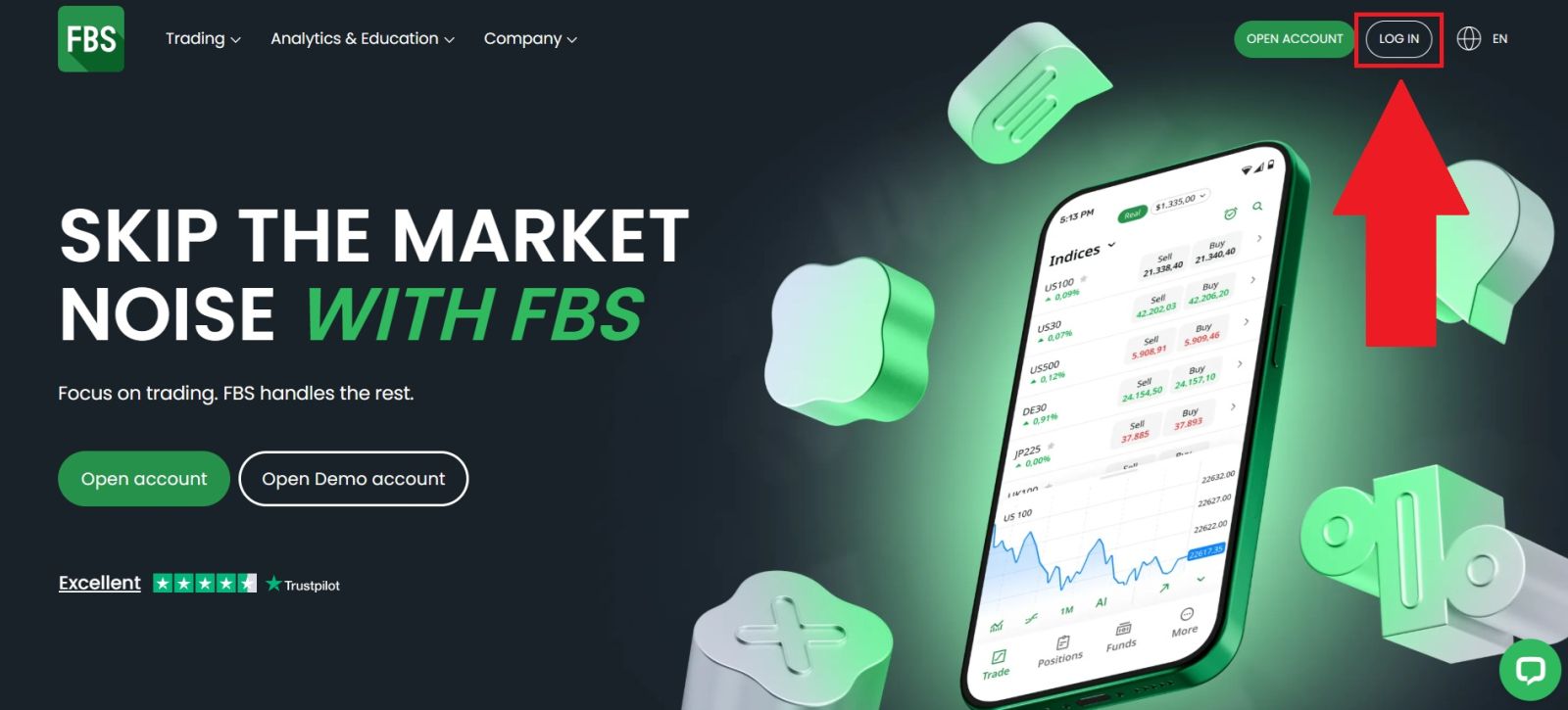
Visit the official FBS platform website and double-check the web address to avoid any potential phishing risks. From the homepage, proceed by clicking the [LOG IN] button, which is generally located in the top-right area of the page.
#2 Navigate to the Trading Section
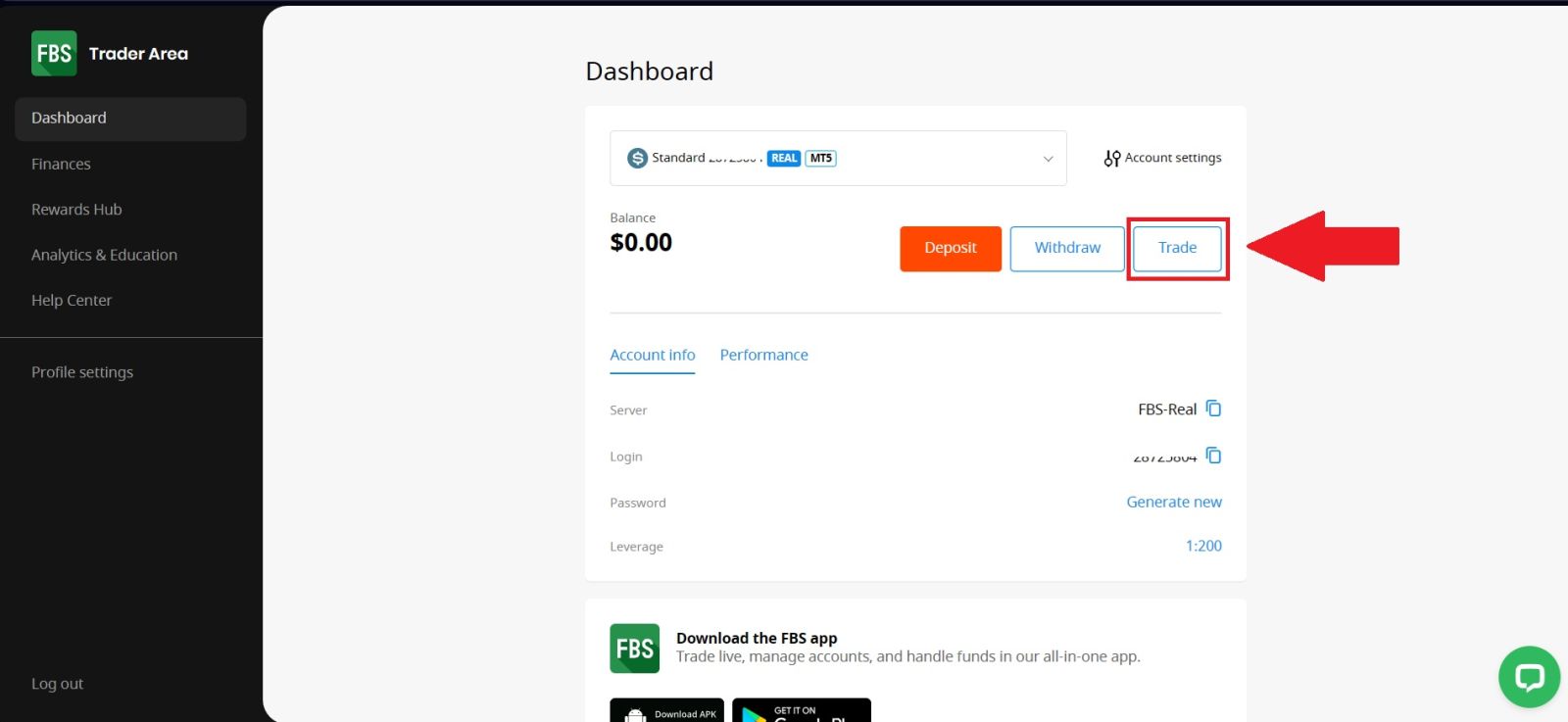
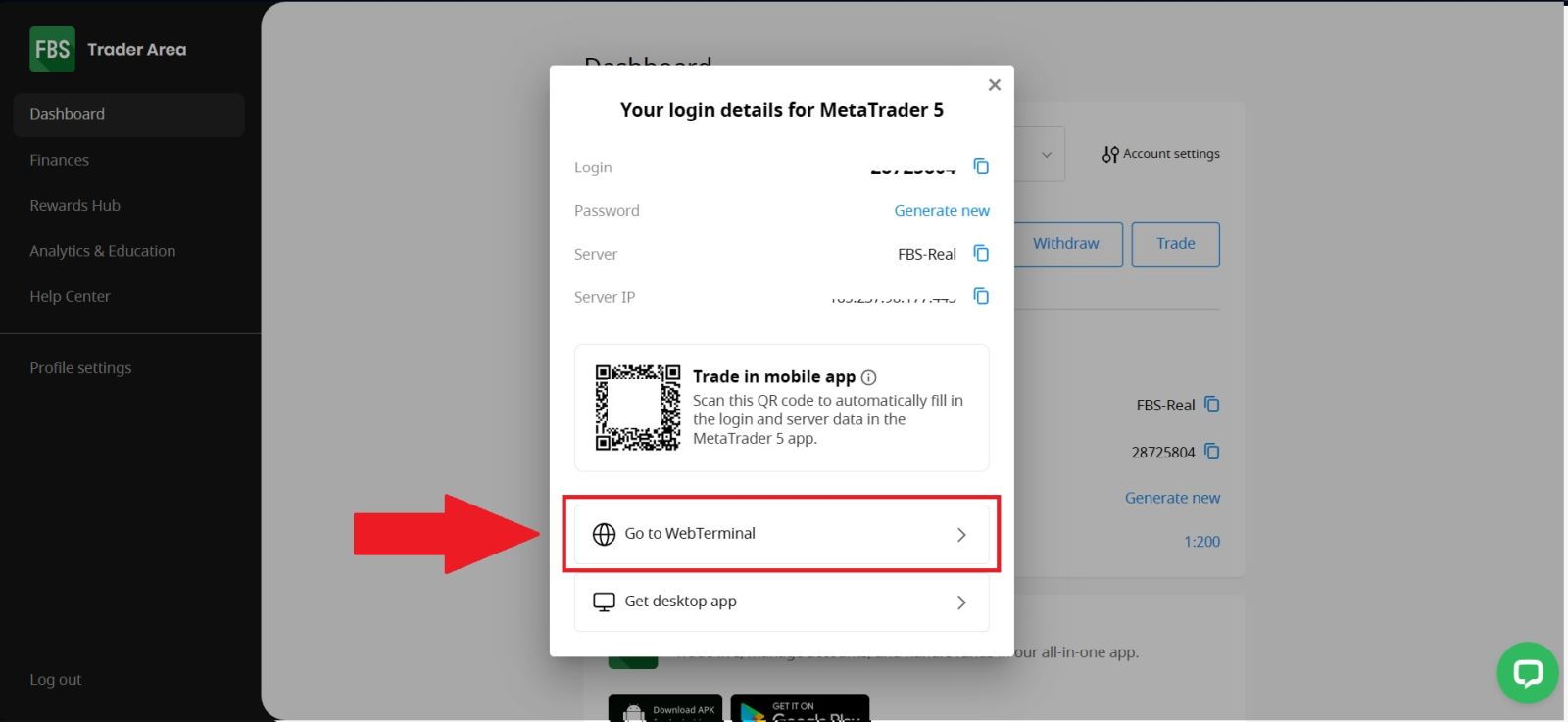
Once you have successfully logged in to your FBS account, navigate to the [Trade] section from the main menu. From there, select [Go to WebTerminal] to proceed.This action will redirect you to the FBS WebTerminal, where you can access real-time market data, analyze charts, manage your trades, and place new orders directly from your browser without the need to download or install any additional software.
#3 Connect with your FBS
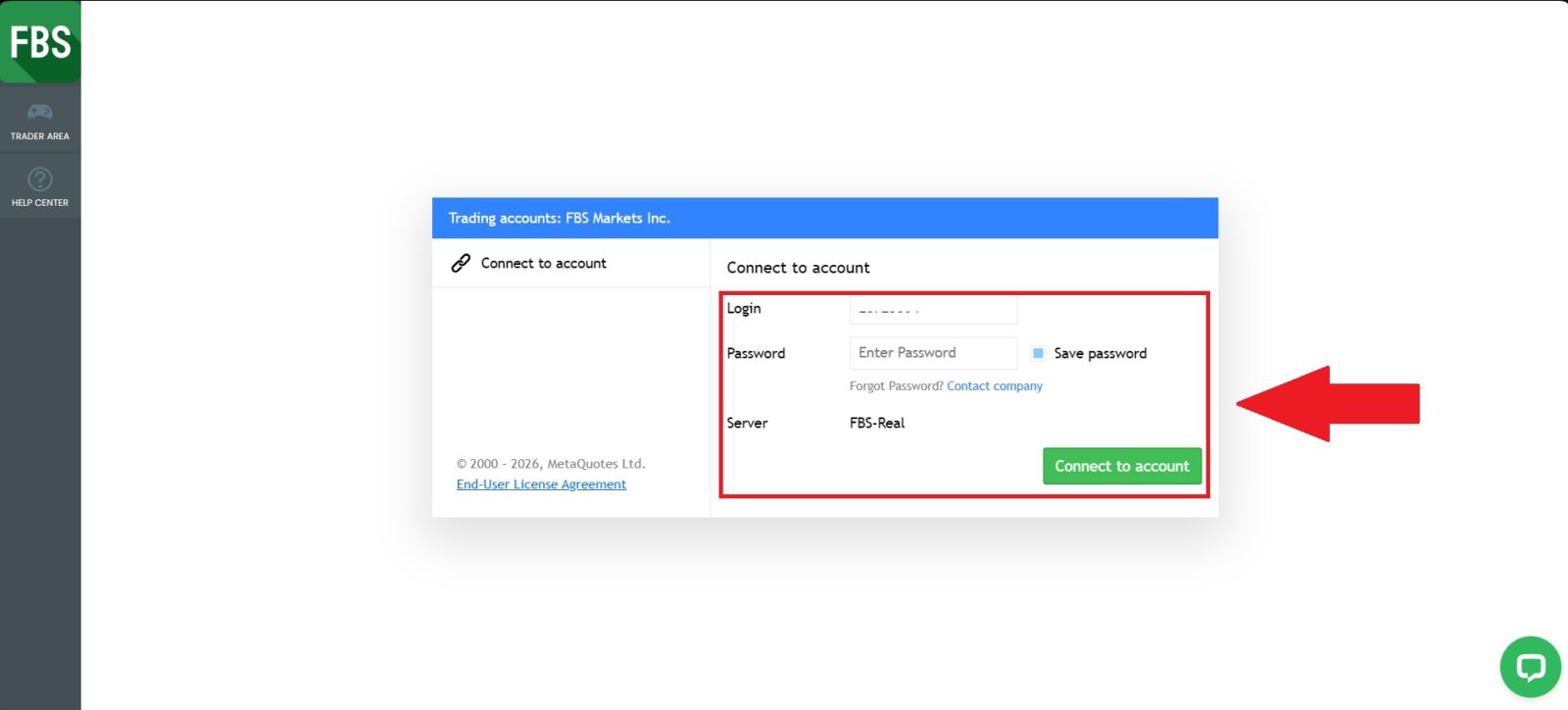
Once you open the application, you will see a login form on the screen. Enter your FBS account login and password in the required fields, then select the appropriate server if prompted.After ensuring all details are correct, click [Connect to account] to securely connect to your FBS trading account and access the trading platform.
Congratulations! You are now all settled for trading as you have:
- An account with a reliable broker (the one that you use your email address to log in to);
- A trading account with deposited money (an account number and a password that you will use to log in to trade);
- A trading platform to open and close positions configured for your trading account.
#4 Explore the FBS Interface
Before placing your first trade, understanding the trading interface is essential for anyone learning how to trade on FBS, especially beginners. The FBS platform is designed to be user-friendly and well-structured, helping new traders feel comfortable and confident from the start.This part of the FBS trading guide introduces key elements such as charts, trading instruments, order types, and trade controls in a clear and simple way. Becoming familiar with the interface helps reduce errors, improves trade execution, and supports better decision-making.
With a solid understanding of the platform, your trading experience on FBS will be much smoother and more efficient.
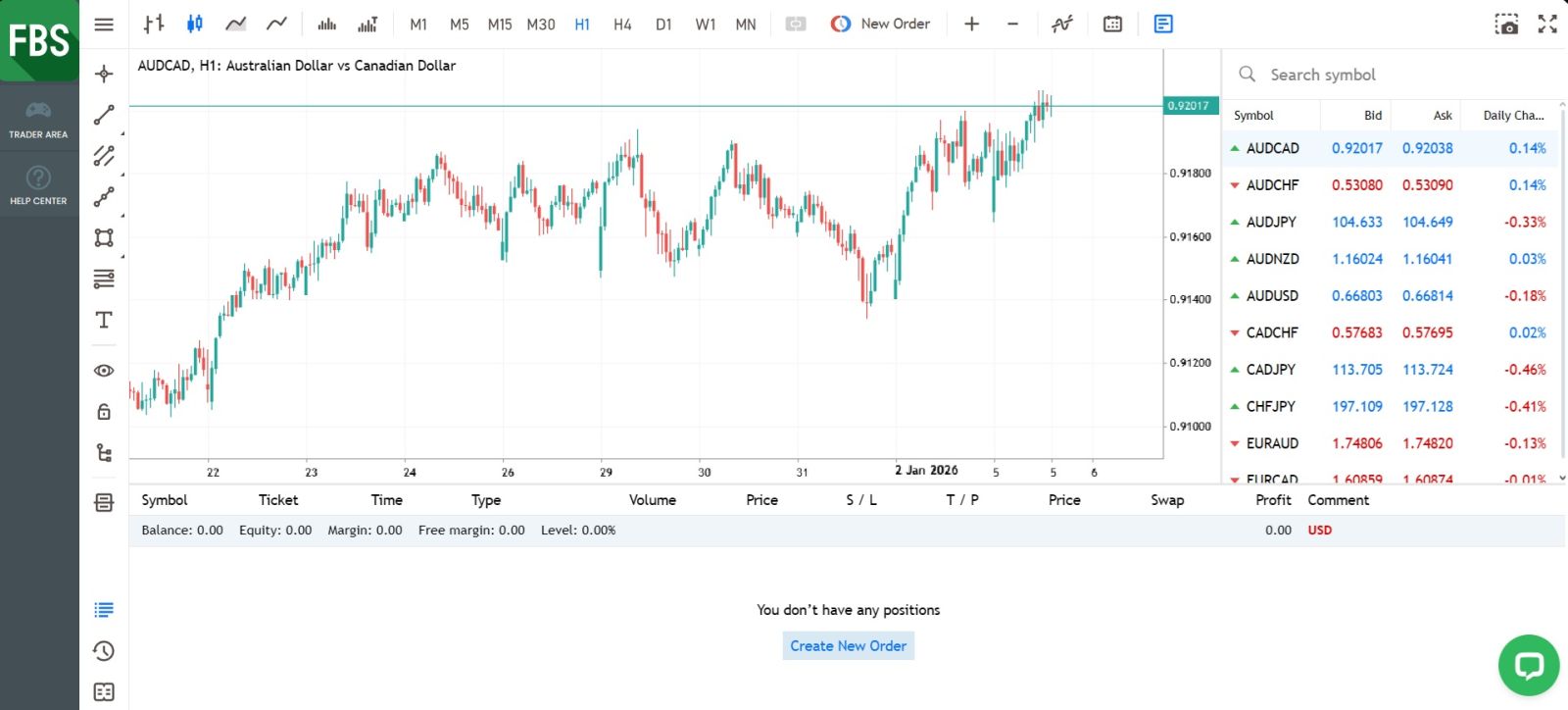
Here’s what matters most:
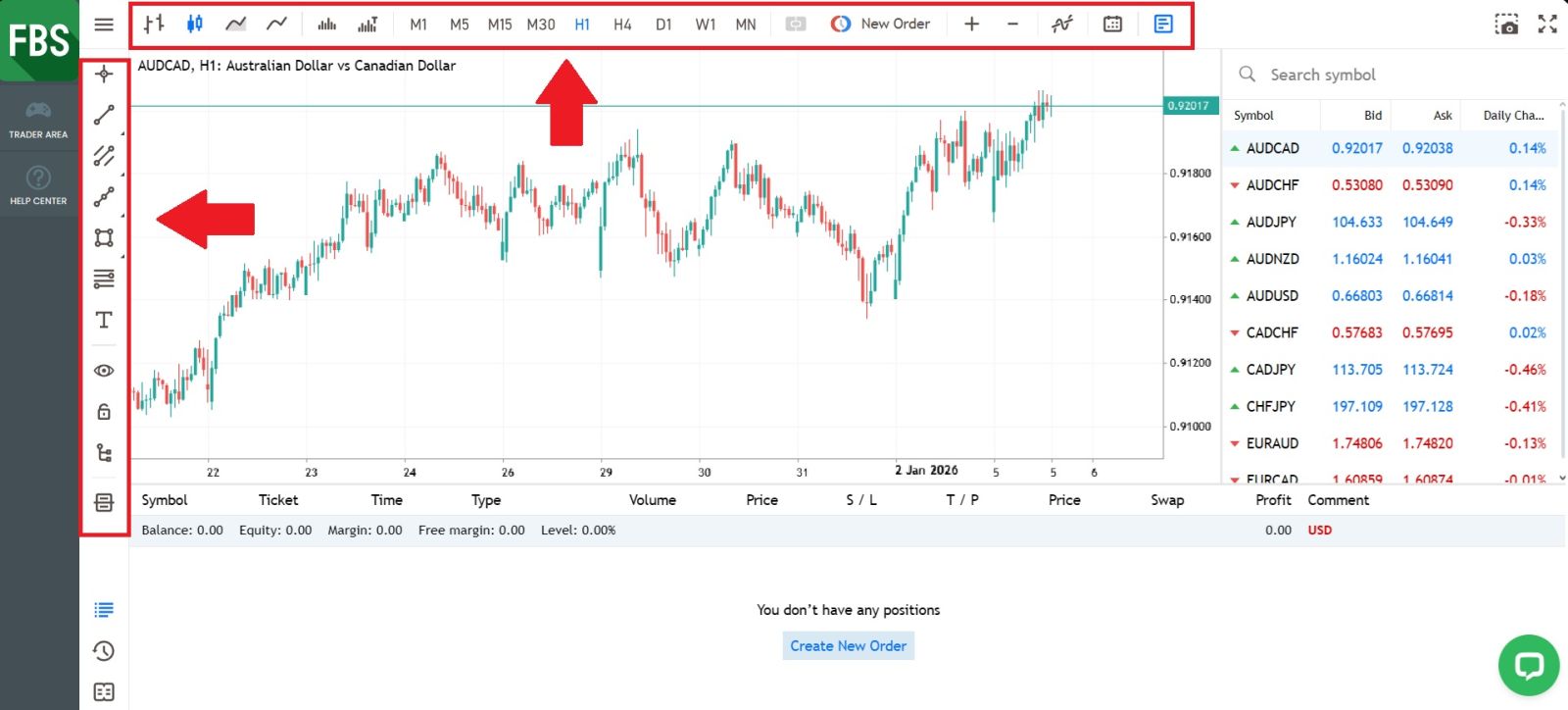
1. Menu Panel: Use the toolbar to create an order, change time frames and access indicators.
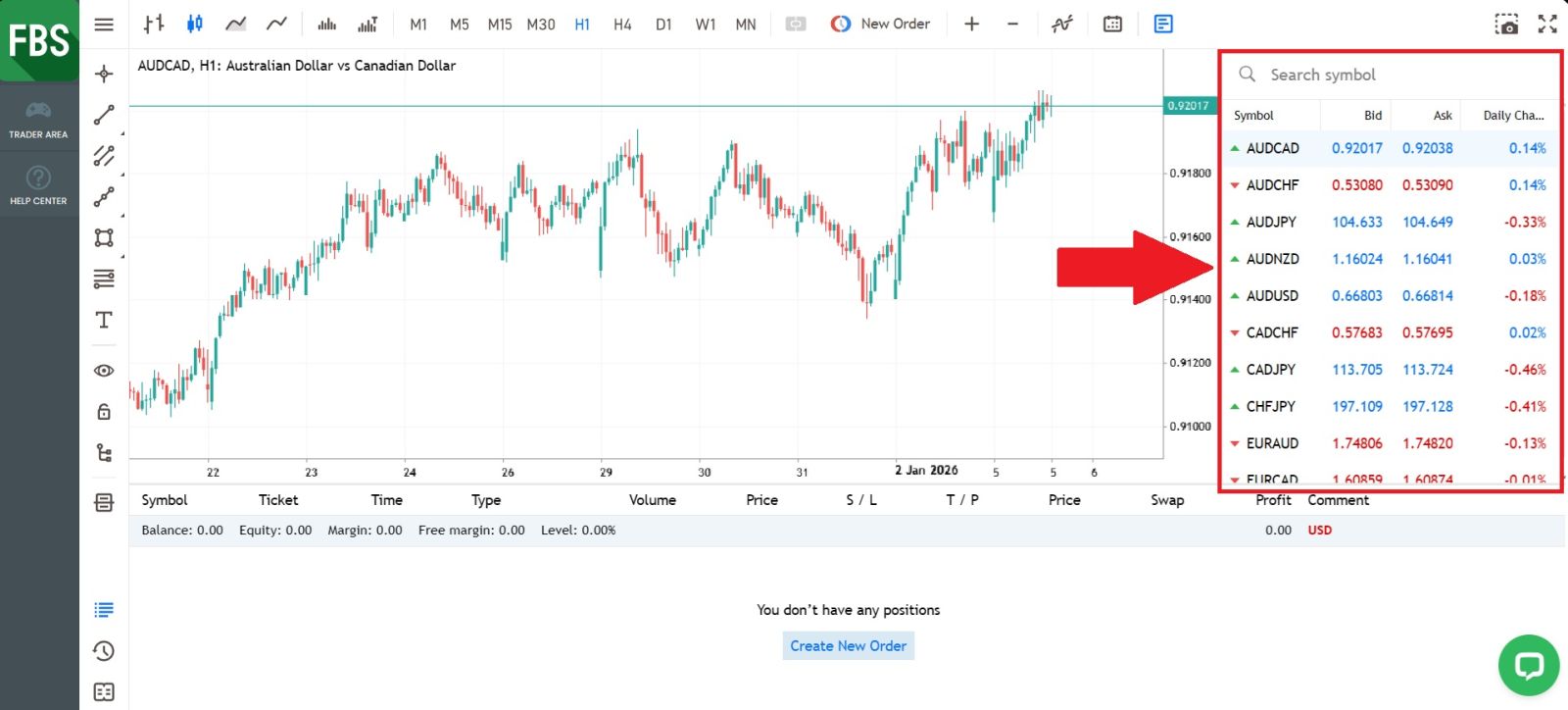
 2. Market Watch: can be found on the right side, which lists different currency pairs with their bid and ask prices.
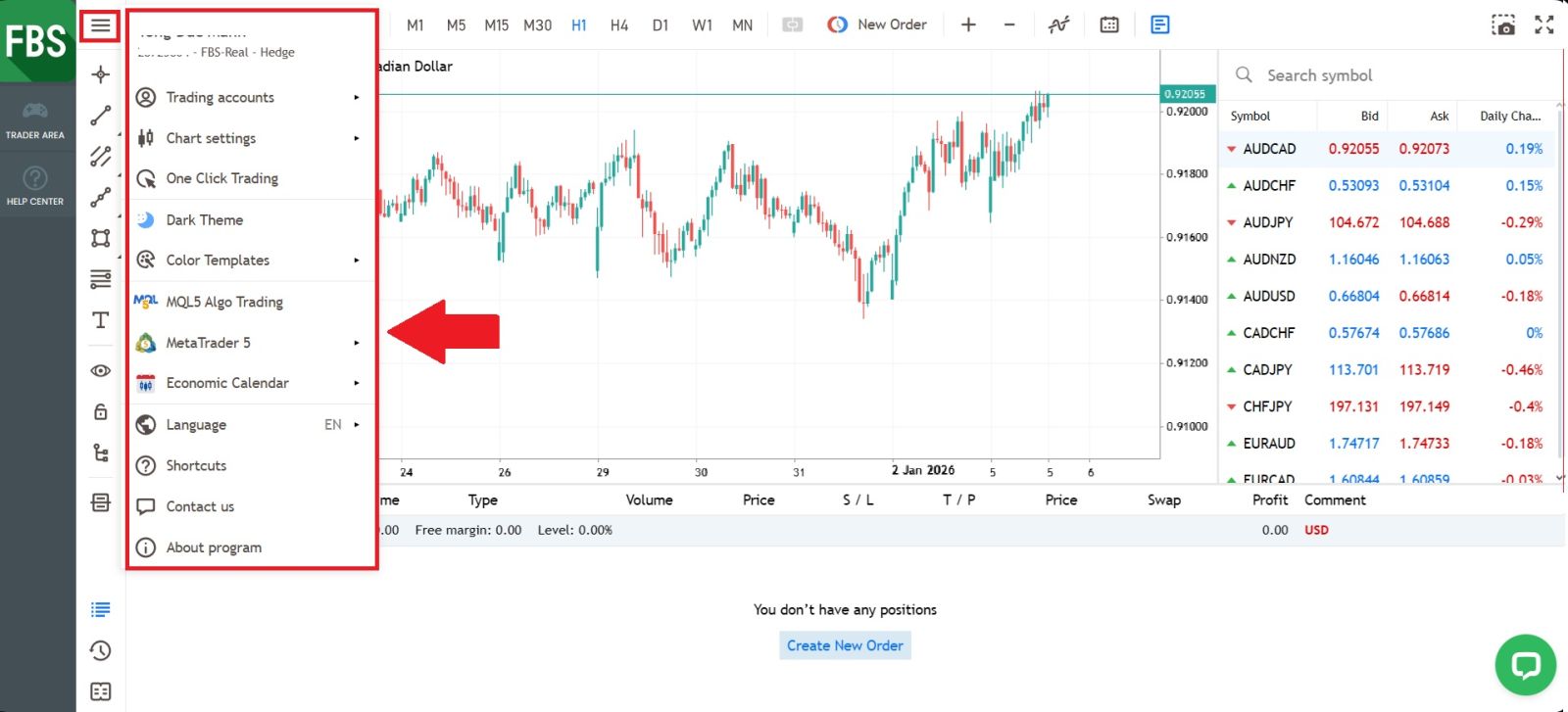
 3. Navigator Window: Where you can manage your accounts and add indicators, expert advisors, and scripts.
 4. Terminal: At the bottom of the screen can be found the Terminal, which has several tabs to help you keep track of the most recent activities, including Trade, Account History, Alerts, Mailbox, Experts, Journal, and so forth.
For instance, you can see your opened orders in the Trade tab, including the symbol, trade entry price, stop loss levels, take profit levels, closing price, and profit or loss. The Account History tab collects data from activities that have happened, including closed orders.
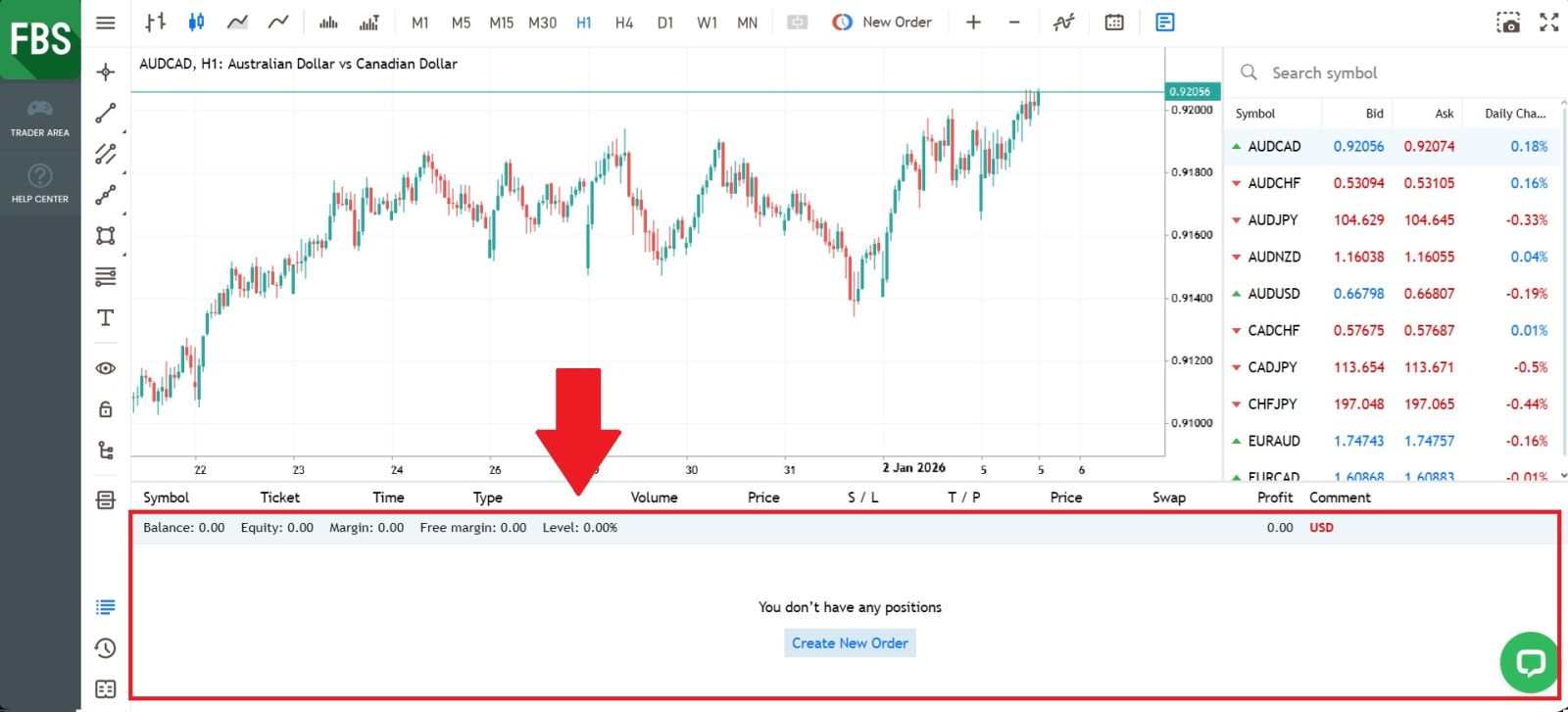
5. The chart window indicates the current state of the market and the ask and bid lines. To open an order, you need to press the New Order button in the toolbar or press the Market Watch pair and select New Order.
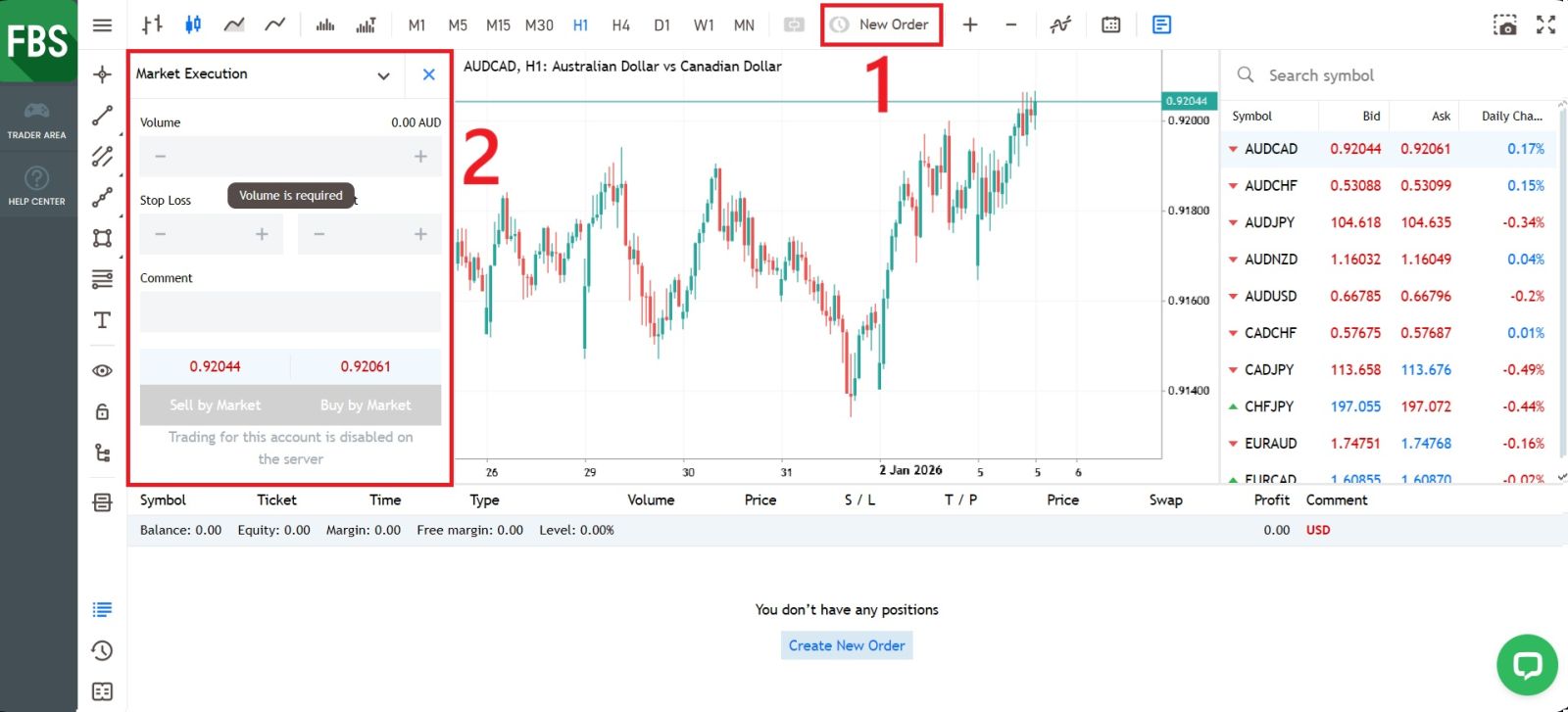
#5 Open Your First Trade
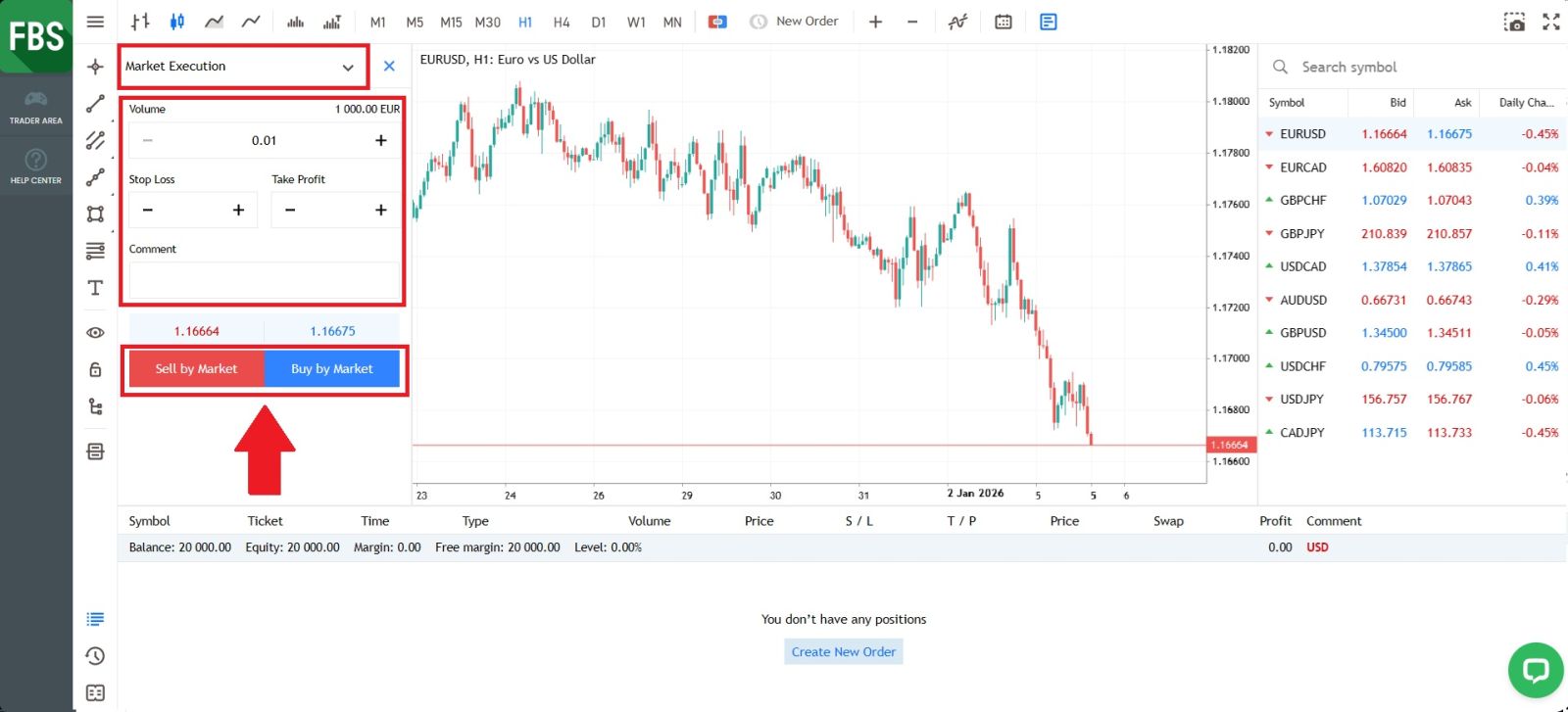
First, create a new order and select the type of order you want to place. Next, enter your trade volume and set your preferred Stop Loss and Take Profit levels to manage risk and potential profit.Notes on risk management:
-
We strongly recommend using risk management settings for every trade you open. These options will let you open a position, decide how much you want to make and how much you are willing to lose on this position, and forget about it. The trade will be closed automatically for you whenever the asset price reaches any of your specified values.
-
For both Stop Loss and Take Profit, the values should not be too close to the current price, or an error will be displayed.
-
When the value is 0.000, the order is not placed.
Click Sell or Buy, depending on your understanding of the market conditions.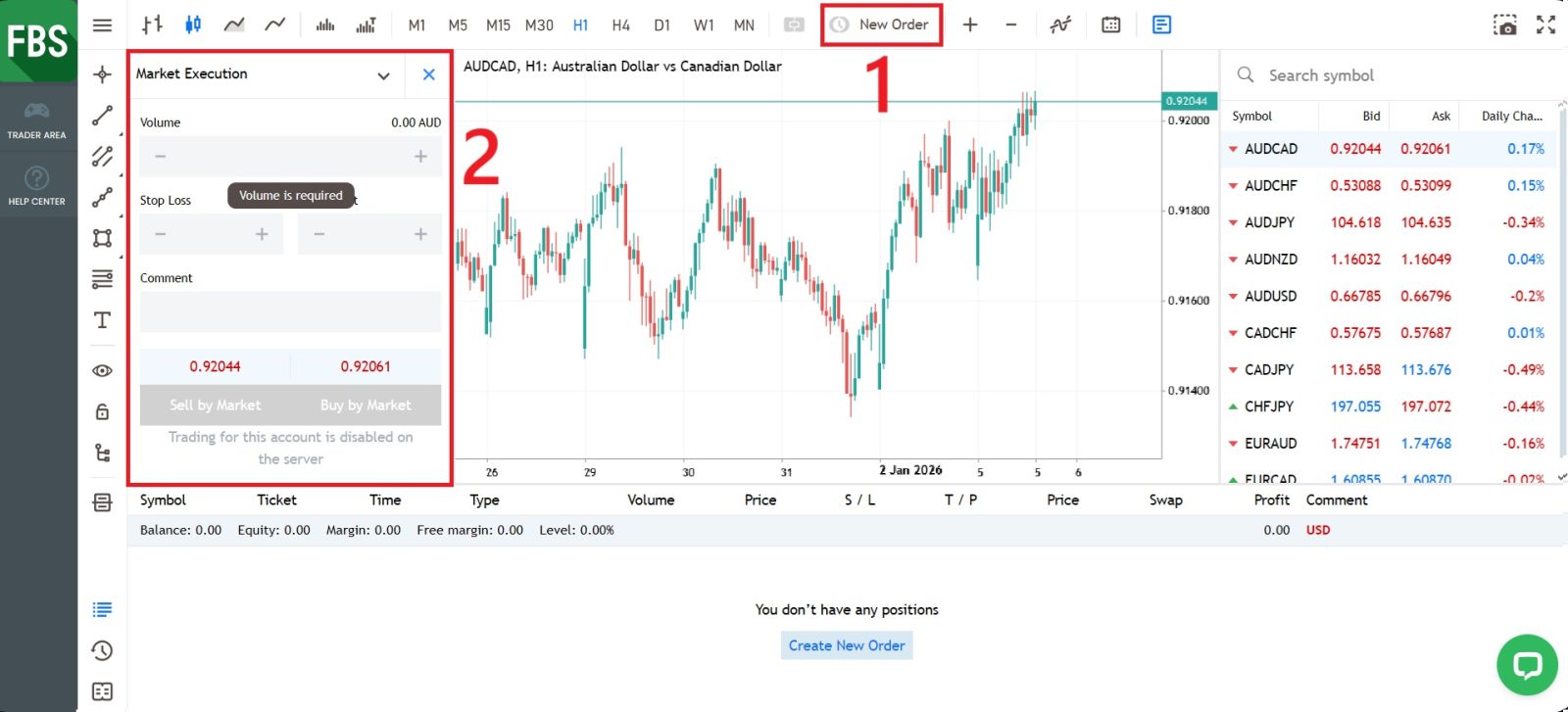
Conclusion: Trade on FBS with Confidence and Control
Trading on FBS is designed to be accessible, efficient, and suitable for both beginner and experienced traders. By understanding the trading process, choosing the right instruments, and applying proper risk management strategies, you can navigate the markets more effectively.With user-friendly platforms, reliable execution, and a range of trading tools, FBS provides a solid environment to develop your trading skills. Always trade responsibly, stay informed, and approach each trade with a clear strategy to make the most of your experience on FBS.