FBS Deposit

This article lays out practical deposit steps for the main payment channels supported on FBS, highlights typical minimums and limits, explains expected processing times, and shows how to troubleshoot common failures. Follow the method-specific notes and security tips here to reduce delays, avoid unexpected conversion charges, and make sure deposited funds reach your trading balance promptly.

What payment methods can I use to add funds to my account on FBS
FBS offers different funding methods, including numerous electronic payment systems, credit and debit cards, bank wire transfers, and exchangers. There are no deposit fees or commissions charged by FBS for any deposits into the trading accounts.
How can I Deposit to FBS
You can deposit money into your account in your Personal Area.1. Click on "Finances" in the menu at the top of the page.

or
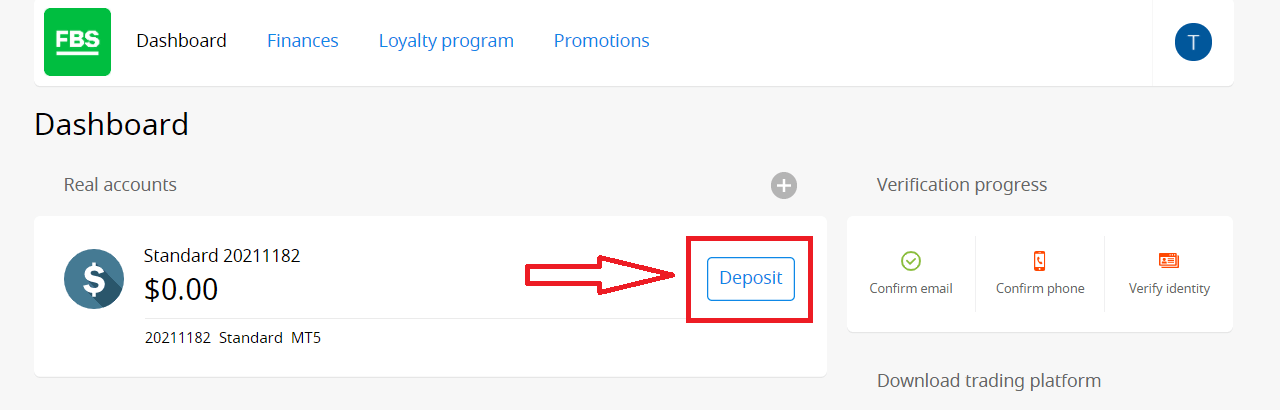
2. Choose "Deposit".
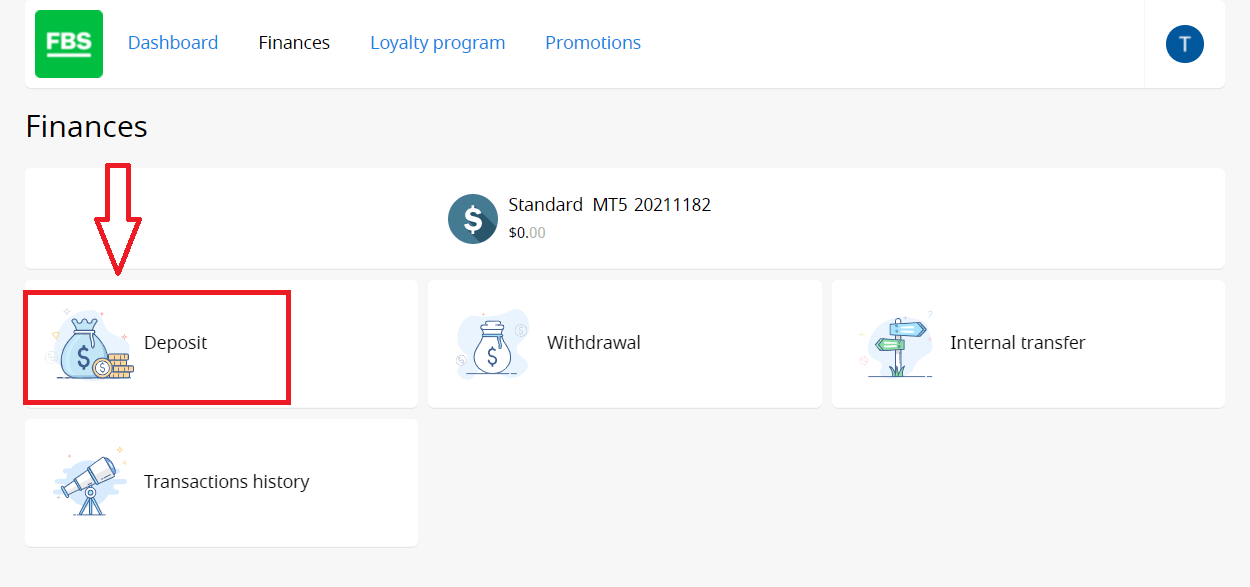
3. Choose a suitable payment system and click on it.
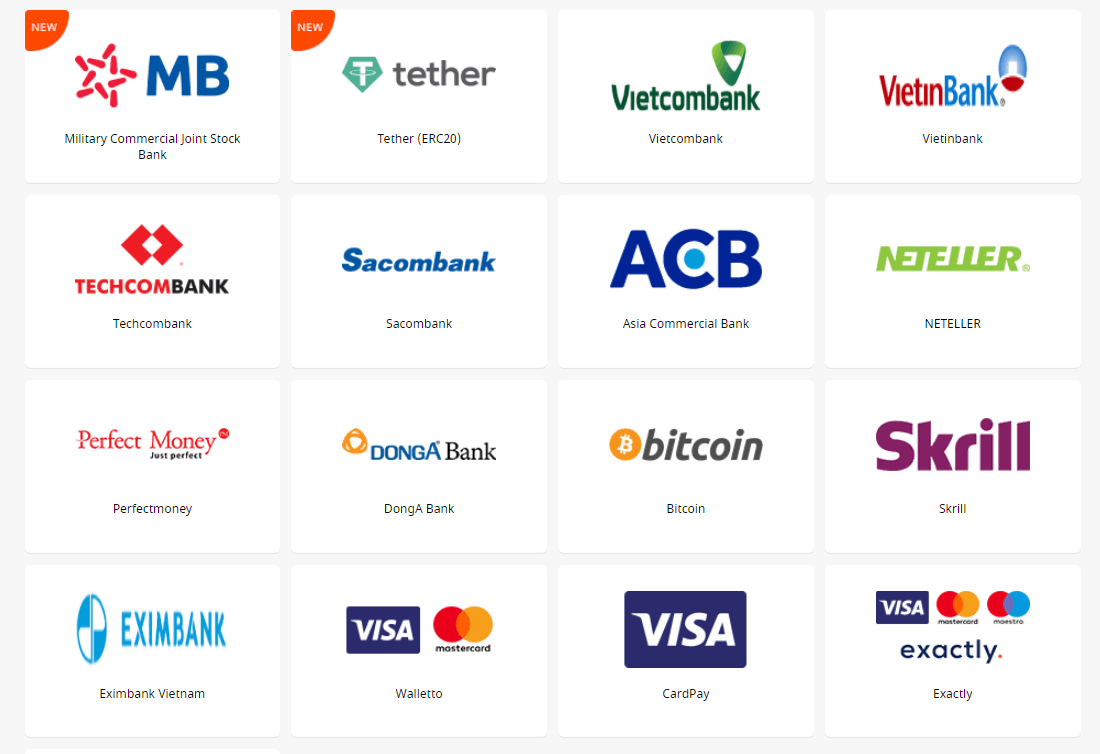
4. Specify the trading account you want to deposit to.
5. Specify the information about your e-wallet or payment system account if needed.
6. Type the amount of money you want to deposit.
7. Choose the currency.
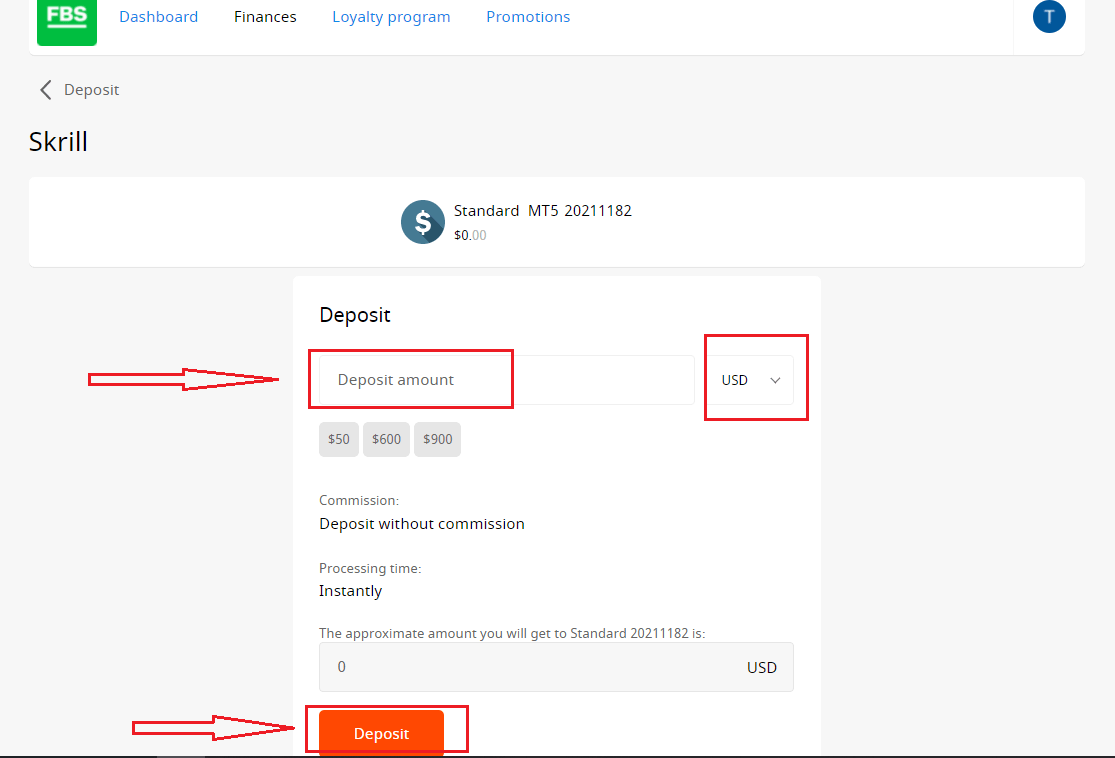
8. Click on the “Deposit” button.
Withdrawals and internal transfers are done in the same fashion.
You will be able to monitor the status of your financial requests in the Transaction History.
Important information! Please, take into consideration that according to the Customer Agreement, a client can withdraw funds from his/her account only to those payment systems that have been used for the deposit.
Please, kindly be informed that in order to deposit to FBS applications such as FBS Trader or FBS CopyTrade, you need to make a deposit request right in the needed application. Transfer of funds between your MetaTrader accounts and FBS CopyTrade / FBS Trader accounts is not possible.
How long does it take to process a Deposit/Withdrawal request
Deposits via electronic payment systems are processed instantly. Deposit requests via other payment systems are processed within 1-2 hours by the FBS Financial department.The The
FBS Financial department works 24/7. The maximum time of processing a deposit/withdrawal request via an electronic payment system is 48 hours from the moment of its creation. Bank wire transfers take up to 5-7 business days to process.
FAQ of Deposit
Can I make a Deposit in my national currency?
Yes, you can. In this case, the deposit amount will be converted into USD/EUR according to the current official exchange rate on the day of the deposit execution.
How can I Deposit funds into my account?
- Open the Deposit within the Finances section in your Personal area.
- Choose the preferred deposit method, select offline or online payment, and click the Deposit button.
- Select the account you wish to deposit funds into and enter the deposit amount.
- Confirm your deposit details on the next page.
What is the minimum Deposit amount in the FBS Personal Area (web)?
Please, take into consideration the following deposit recommendations for different account types, respectively:
- For the "Cent" account, the minimum deposit is 1 USD.
- For "Micro" account - 5 USD;
- For "Standard" account - 100 USD;
- For "Zero Spread" account – 500 USD;
- For "ECN" account - 1000 USD.
Please, kindly be informed that these are recommendations. The minimum deposit amount, in general, is $1. Please consider that the minimum deposit for some electronic payment systems like Neteller, Skrill, or Perfect Money is $10. Also, as for the bitcoin payment method, the minimum recommended deposit is $5. We would like to remind you that the deposits for smaller amounts are processed manually and may take longer.
To know how much it is needed to open an order in your account, you can use the Traders Calculator on our website.
How do I Deposit funds into my MetaTrader account?
MetaTrader and FBS accounts synchronize, so you do not need any additional steps to transfer funds from FBS directly to MetaTrader. Just log into MetaTrader, following the next steps:
- Download MetaTrader 4 or MetaTrader 5.
- Enter your MetaTrader login and password that you have received during registration at FBS. If you didn’t save your data, get a new login and password in your Personal area.
- Install and open MetaTrader and fill in the pop-up window with login details.
- Done! You are logged into MetaTrader with your FBS account, and you can start trading using the funds you have deposited.
How can I make a Deposit and withdraw funds?
You can fund your account in your Personal area, via the “Financial operations” section, choosing any of the available payment systems. Withdrawal from a trading account can be executed in your Personal area via the same payment system that was used for depositing. In case the account was funded via various methods, withdrawal is executed via the same methods in the ratio according to the deposited sums.
Conclusion: Secure and Convenient Deposits with FBS
Depositing money into your FBS account is a quick and secure process, designed to accommodate traders from all over the world. With a wide range of payment methods and a user-friendly interface, FBS makes it easy to fund your account and begin trading confidently.By following the proper steps and choosing reliable payment channels, you ensure smooth transactions and uninterrupted trading activity.