How to Verify Your FBS Account in 2026: KYC Requirements, Documents, Approval Time & Rejected Cases

In this step-by-step guide, you’ll learn how to verify your FBS account correctly, what documents are required, and how to complete the process quickly so you can trade with confidence and peace of mind.
FBS Verify Process Overview
FBS is a global forex broker regulated by the International Financial Services Commission (FSC) of Belize, serving millions of traders worldwide. If you want to explore more about this broker, check out our FBS review. Here’s a quick overview of the FBS account verification process:
#1 Open the FBS Forex Trading Website
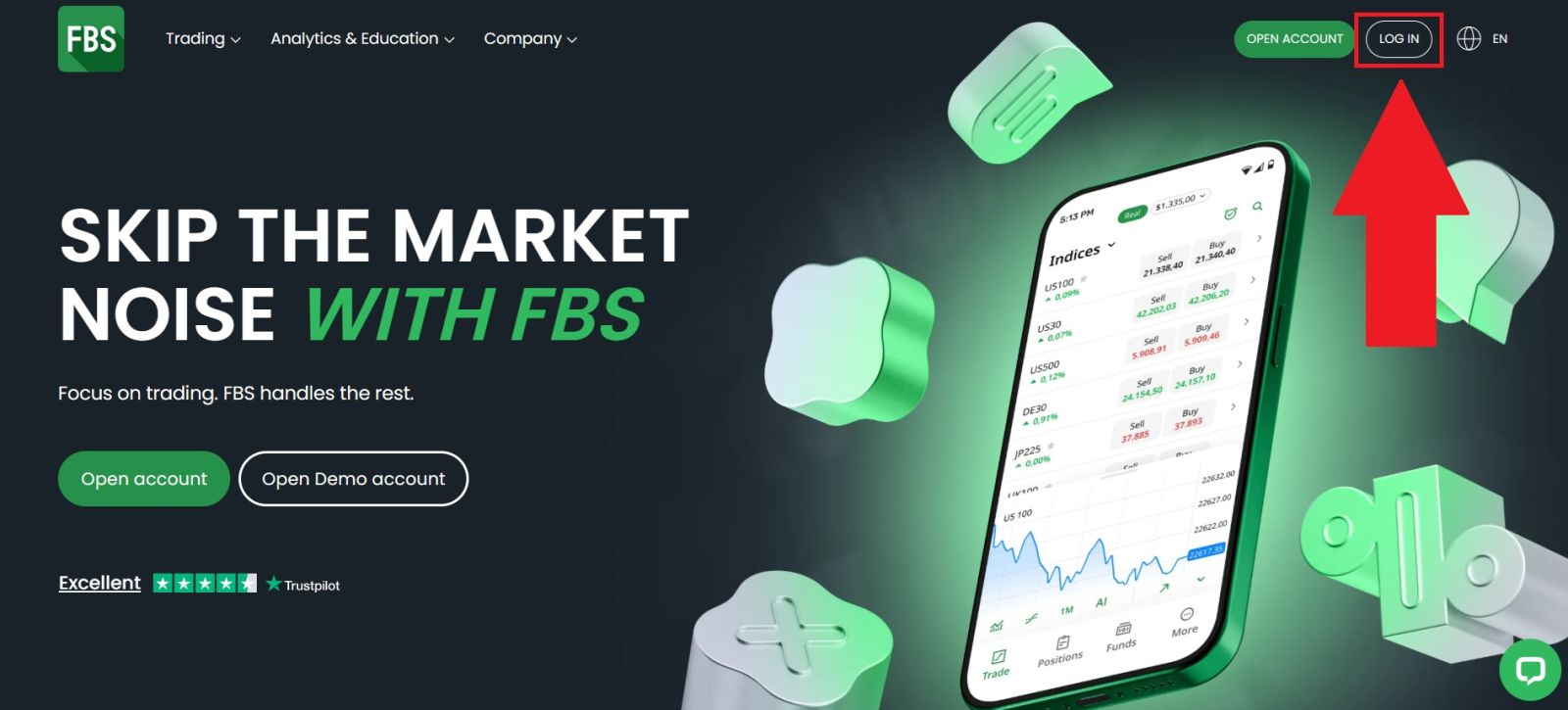
Start by visiting the official FBS website and make sure the URL is correct to avoid phishing risks. Once on the homepage, locate the [LOG IN] button, usually found in the top-right corner.
#2 Access the Verification Section
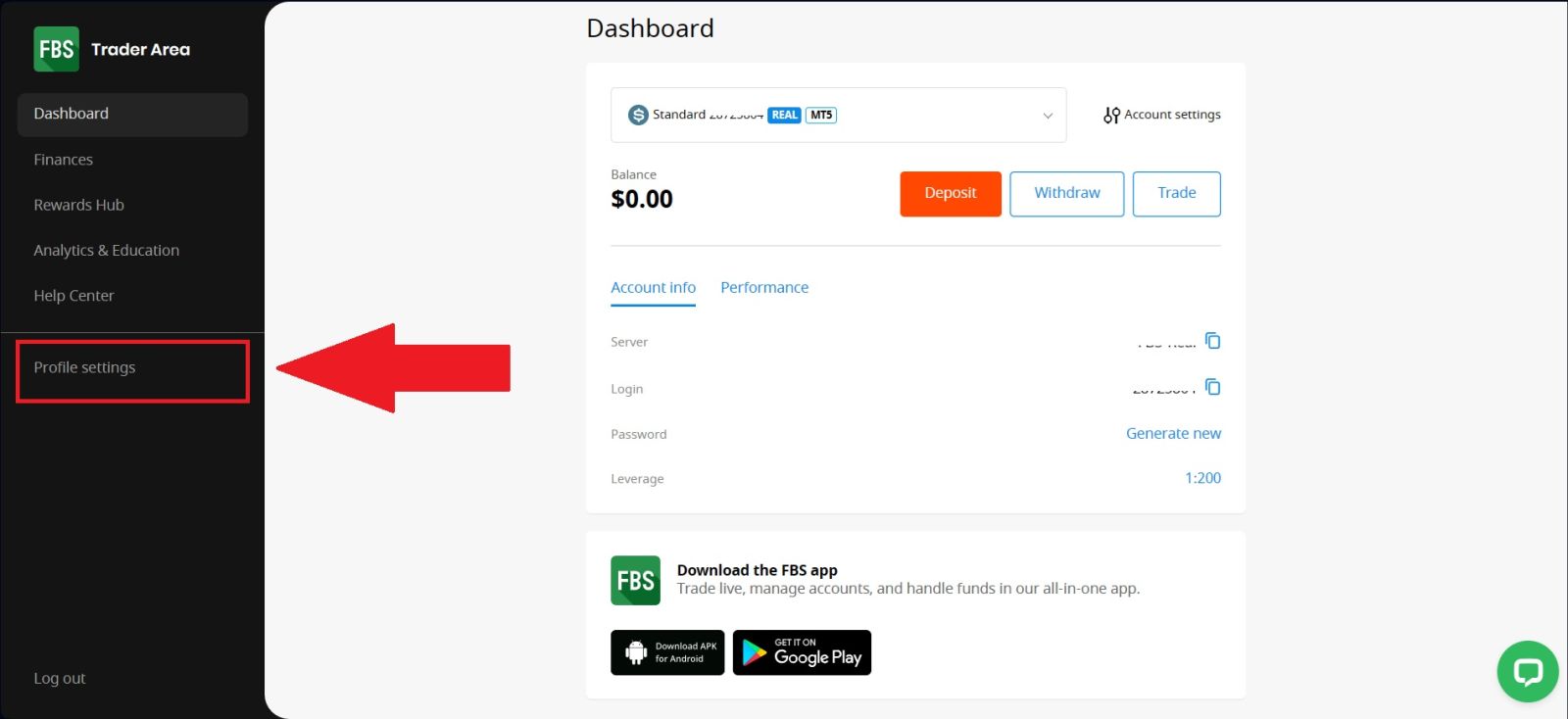
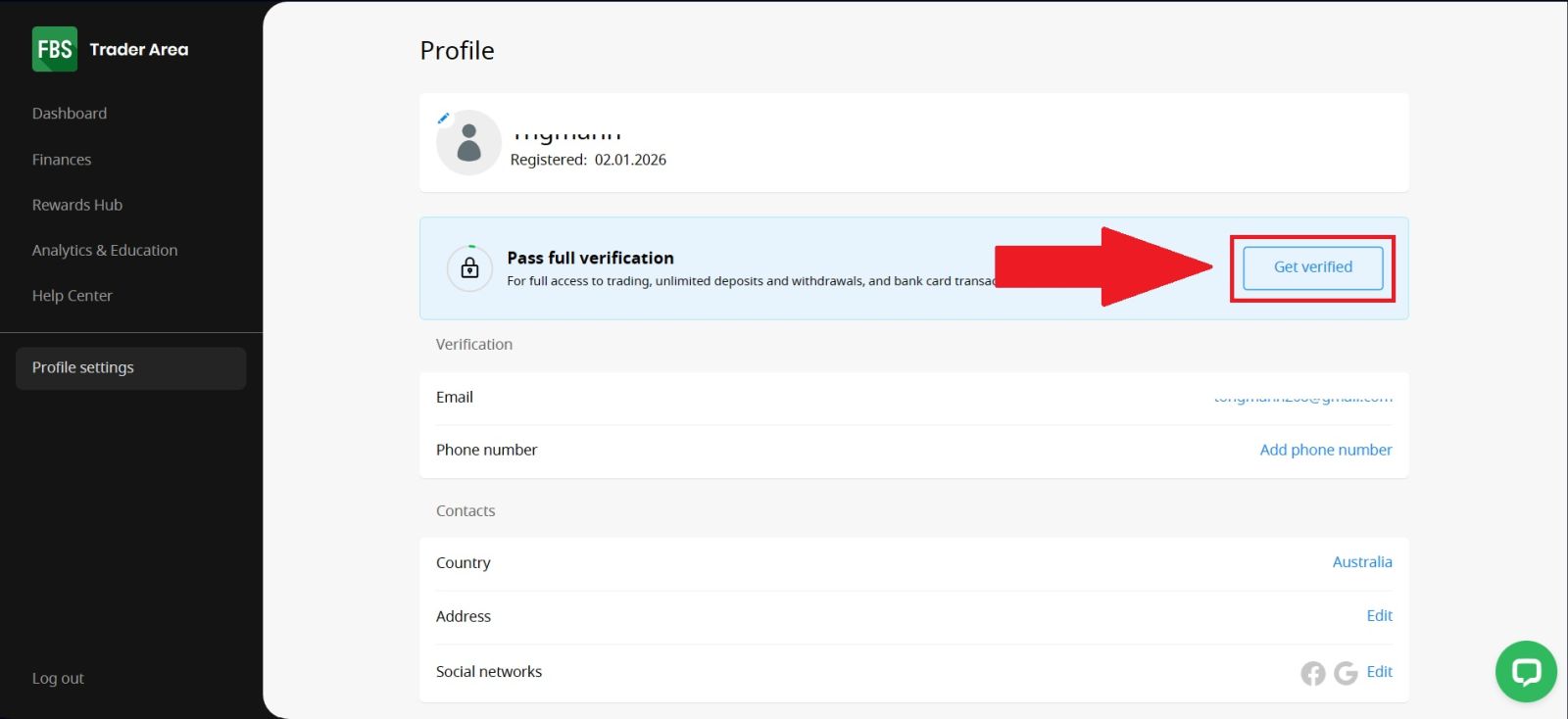
After successfully logging in to your FBS account, navigate to the My Account section from your dashboard and select [My Profile]. This area allows you to manage your personal information and account settings.
Once you are in the profile page, locate and click on the [Verification] option to access the verification section, where you can begin the process of confirming your identity and activating full account features.
#3 Upload Your Documents
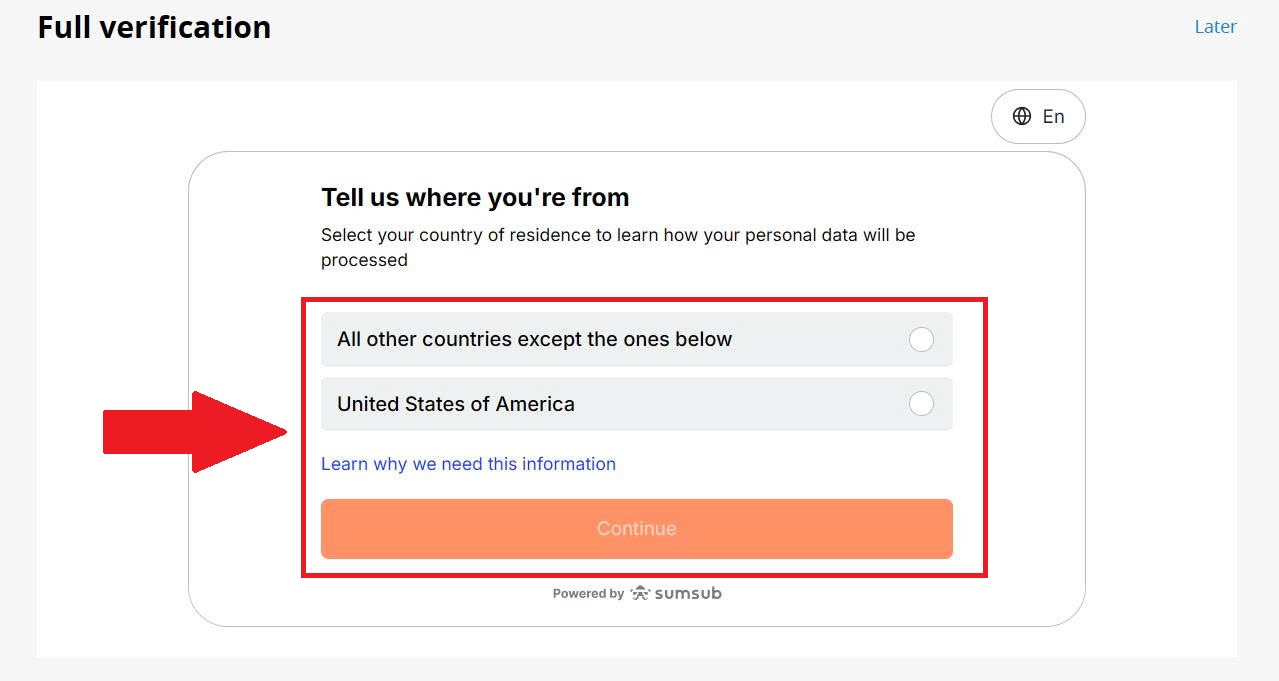
Answer the country of residence question and click [Continue].
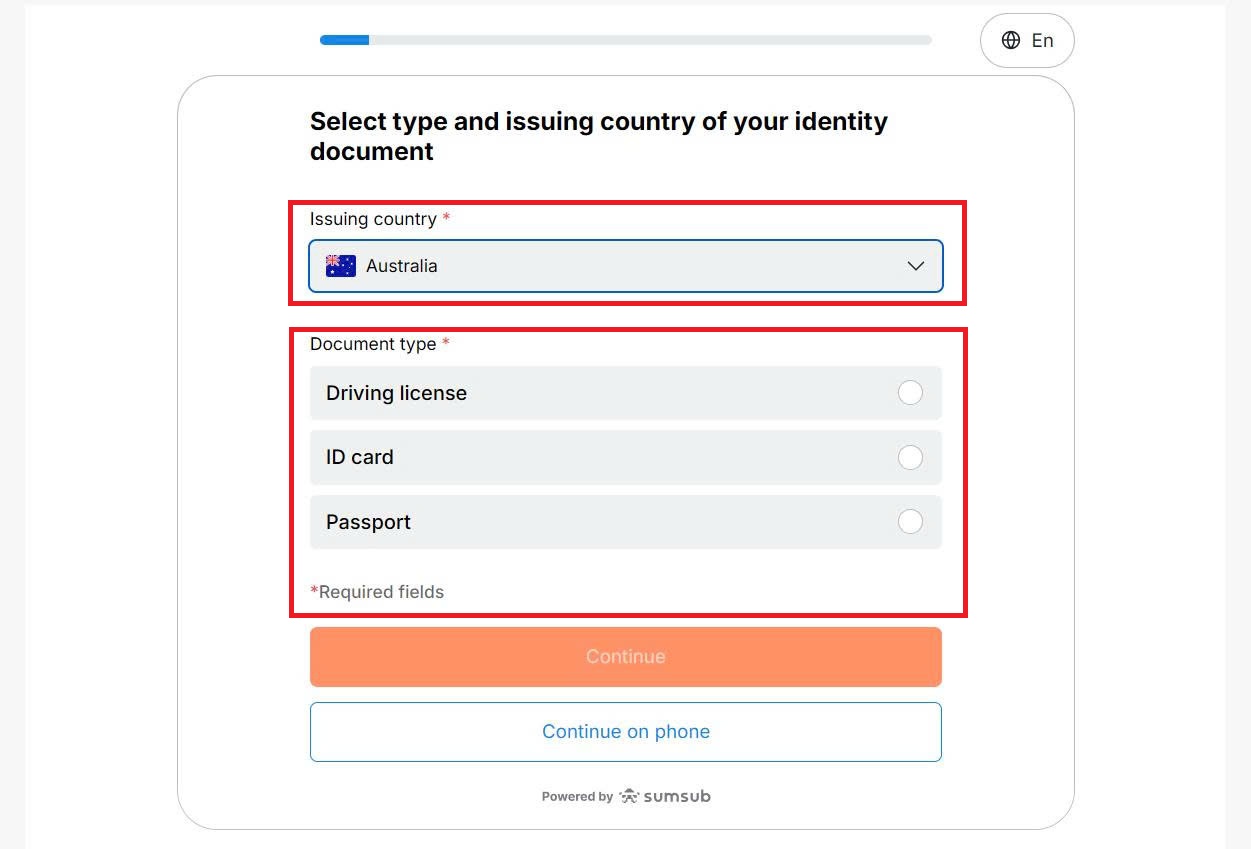
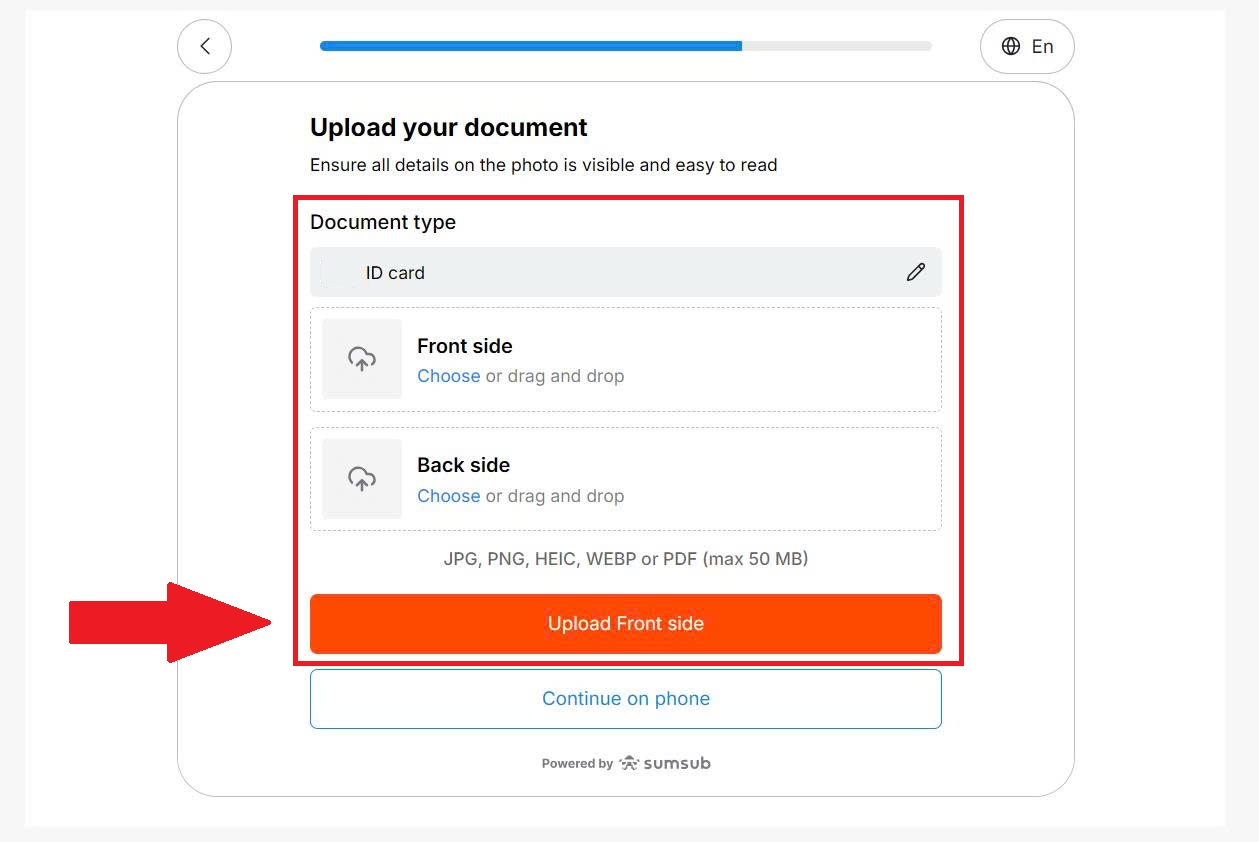
Next, select your issuing country, choose your documents (passport, driving license, or official government-issued ID card), and upload the picture of your document. Make sure you review them to ensure clarity and accuracy.
Once satisfied, submit your verification request by clicking on [Upload Front side]. FBS will then review your submitted documents.
#4 Verification Completed
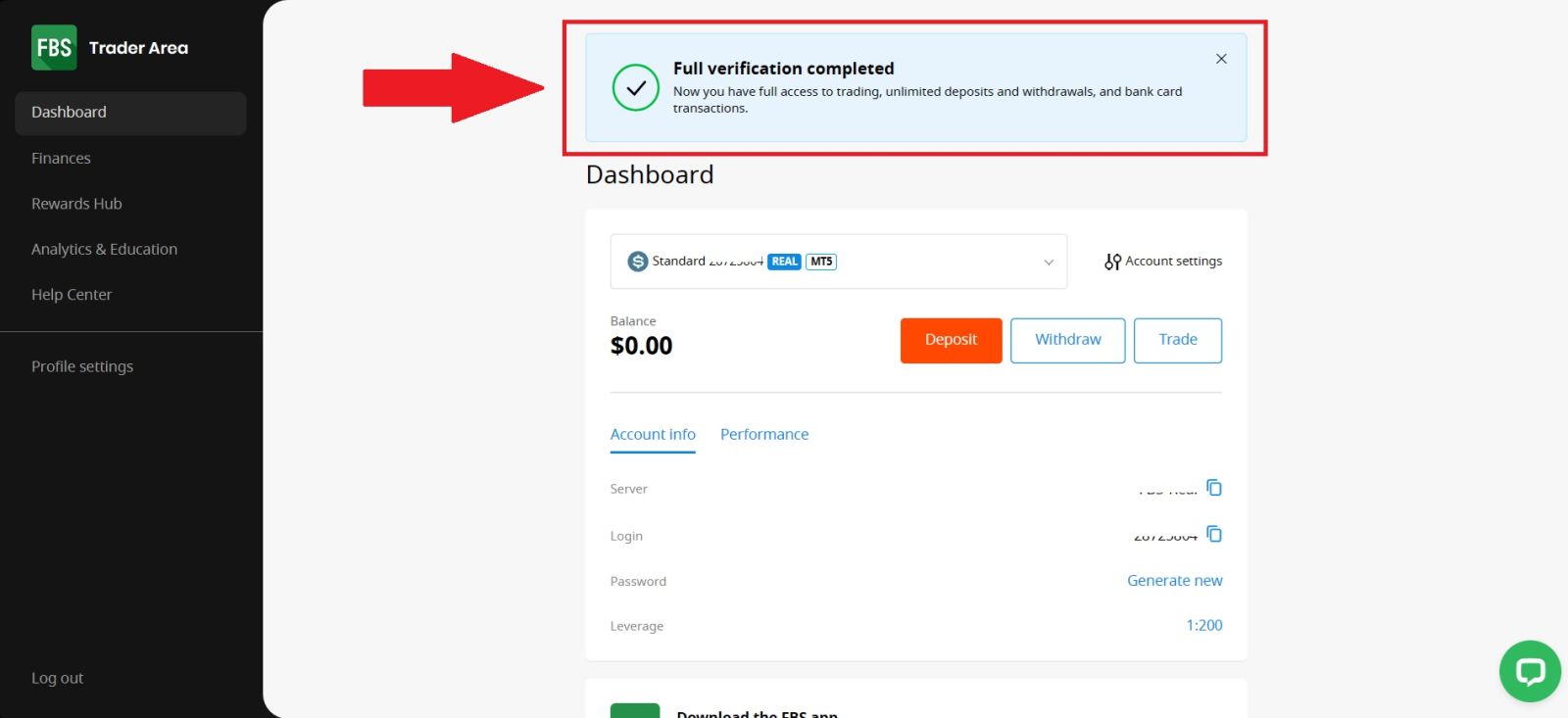
After submitting all required information and documents, your FBS account verification process will be completed once the documents are reviewed and approved.
When verification is successful, you will receive a confirmation, and your account will gain full access to all FBS features, including deposits, withdrawals, and live trading. You can now manage your funds and trade with confidence on the FBS platform.
Conclusion: Complete Your FBS Verification with Ease
Verifying your FBS account is a crucial step to ensure secure trading and full access to all platform features. By completing the identity verification process correctly, you can enjoy smoother deposits and withdrawals, enhanced account security, and uninterrupted trading activity.
The process is simple, fast, and designed to protect both you and your funds. Once verified, you can trade with confidence, knowing your account is fully compliant and ready for long-term use on FBS.